If you trade across both the Hong Kong/US markets (M+ Global App) and the Malaysian stock market (M+ Online App), you’ll sometimes need to shift cash between your two accounts. This guide walks you through exactly how to do it—and when you’re allowed to.
What is Inter Transfer?
Inter Transfer is a feature that lets you move funds from one Malacca Securities account to another, as long as both accounts are registered under your name. It’s designed for traders who split their activity between the Hong Kong/US markets and the Malaysian market.
You have two trading apps:
- M+ Global App: Trade Hong Kong and US stocks
- M+ Online App: Trade Malaysian stocks
If one account runs low while you’re about to execute a trade on the other, Inter Transfer bridges that gap quickly and at no cost.
When You Can Use Inter Transfer
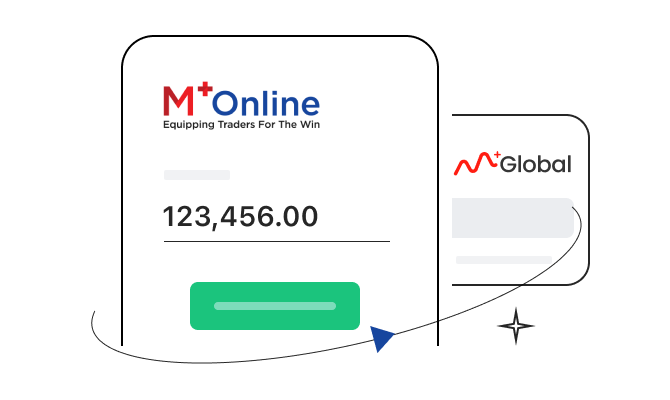
Scenario 1: Not Enough Funds in M+ Global?
Transfer MYR from your M+ Online account to your M+ Global account to fund your Hong Kong or US stock trades.
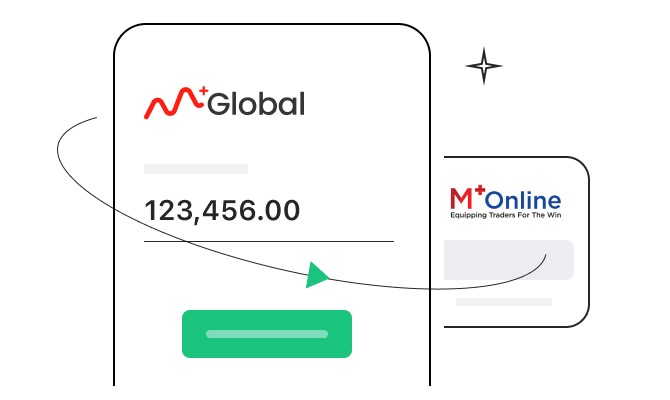
Scenario 2: Not Enough Funds in M+ Online?
Transfer MYR from your M+ Global account to your M+ Online account to fund your Malaysian stock trades.
Important: The two accounts must be held by the same person. You cannot transfer funds between accounts registered to different individuals.
Operating Hours and Availability
Inter Transfer is available 8:30 a.m. to 5:30 p.m. from Monday to Friday. The service is closed on weekends and public holidays.
Special note on new deposits: If you’ve just deposited funds into either account, you can only use Inter Transfer on the next trading day. This applies whether you deposit to M+ Global or M+ Online.
How to Perform an Inter Transfer
Step 1: Open the Right App
Always initiate Inter Transfer from the M+ Global App only—the M+ Online App does not have this function.
Step 2: Navigate to Inter Transfer
Tap Trade → More → Inter Transfer.
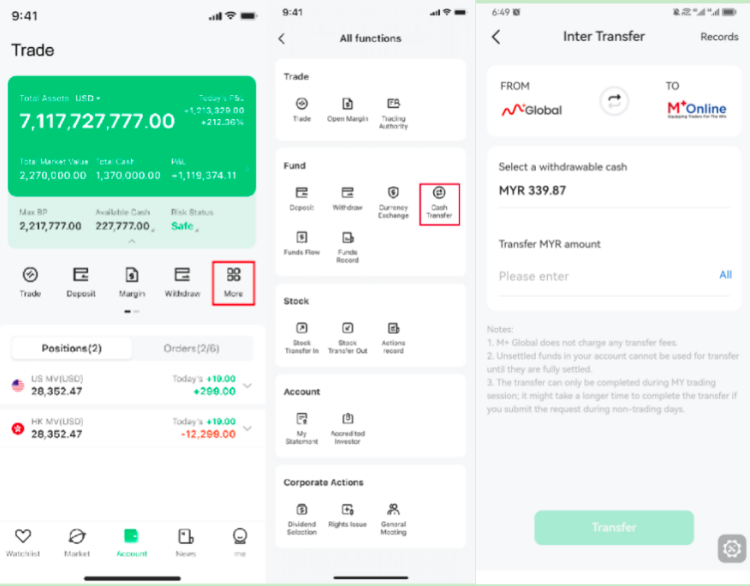
Step 3: Complete the Transfer Application
Follow these five steps in order:
- Confirm the payee account (the account receiving the funds)
- Select the withdrawable funds (currently only MYR transfers are supported)
- Enter the transfer amount
- Confirm that the transfer amount will be received correctly
- Click Transfer
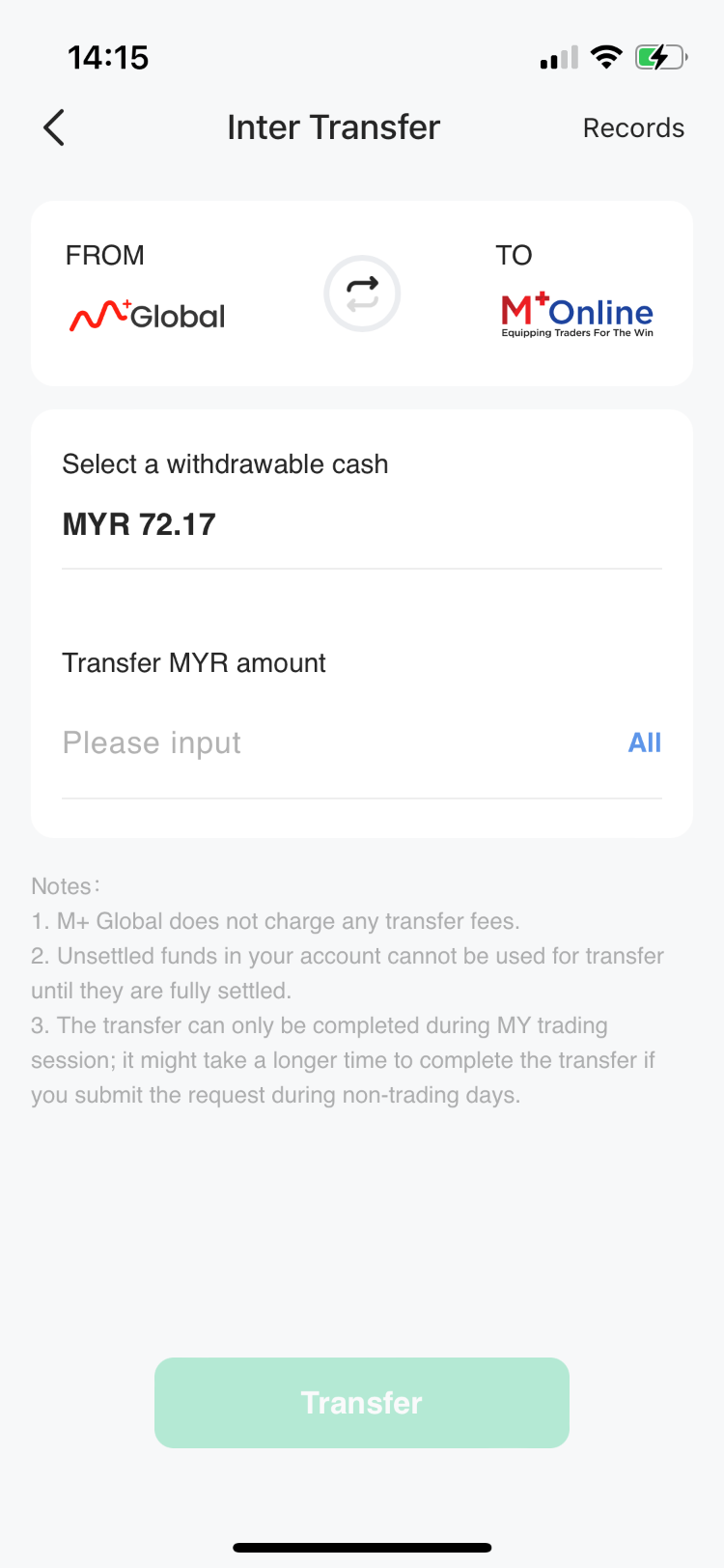
Remisier tip: Double-check the payee account name before you hit Transfer—once it’s sent, it usually arrives in 1–2 minutes and can’t be recalled. Always verify the correct account is selected.
How Long Does Inter Transfer Take?
Once you submit your Inter Transfer application, the payee account will normally receive the funds within 1–2 minutes. You’ll receive a message prompt confirming the transaction. Always check your receiving account to make sure the amount arrived as expected.
Is There a Fee?
No. Inter Transfer is completely free. There is no service charge.
Key Takeaways
- Inter Transfer moves MYR between your M+ Global and M+ Online accounts instantly and at no cost
- Both accounts must be registered under your name
- Initiate all Inter Transfers from the M+ Global App only
- Service hours are 8:30 a.m. to 5:30 p.m., Monday to Friday (no weekends or public holidays)
- Funds arrive in 1–2 minutes; newly deposited funds can only be transferred on the next trading day
- Currently, only MYR transfers are supported
Frequently Asked Questions
Can I transfer funds between my M+ Online and M+ Global accounts?
Yes, as long as both accounts are registered under your name. You can transfer from M+ Online to M+ Global, or from M+ Global to M+ Online. Currently, only MYR transfers are supported.
Which app do I use to do an Inter Transfer?
You must use the M+ Global App. Open it, go to Trade → More → Inter Transfer, then follow the prompts. The M+ Online App does not have this feature.
How quickly will the money arrive in my other account?
Generally, the funds will arrive within 1–2 minutes of your application. You’ll receive a message prompt, and you can check your receiving account to confirm.
Can I do an Inter Transfer on weekends or public holidays?
No. Inter Transfer is only available Monday to Friday, between 8:30 a.m. and 5:30 p.m. It is not available on weekends or public holidays.
What if I just deposited money—can I transfer it immediately?
No. If you’ve just deposited funds into either M+ Global or M+ Online, you can only perform an Inter Transfer on the next trading day. Plan your transfers accordingly if you’re depositing near market close.
More M+ Global guides
Open your M+ Global account with Dexter Chia
Sign up in the M+ Global app with Invitation Code UBZQ to get AI automated tools, AI stock analysis and AI alerts — and a remisier you can actually reach.
WhatsApp: +60169059789 | Why choose Dexter?
Source: based on the official M+ Global Help Centre (Malacca Securities Sdn Bhd). Fees, hours and procedures are set by Malacca Securities and the exchanges and may change — check the M+ Global app or ask your remisier for the latest.
Disclaimer: This guide is for general information only and is not financial advice.