If you have not traded for a few years, your CDS account may have been flagged as inactive or dormant, and you cannot buy, sell or transfer shares until it is reactivated. The fastest fix is Bursa Anywhere, Bursa Malaysia’s official app for CDS account holders: you can do it yourself from your phone in a few minutes, without a form or a trip to your broker. This step-by-step tutorial shows you how.
Why did my CDS account become inactive or dormant?
Bursa Malaysia flags a CDS account as inactive or dormant when there have been no debit or credit entries in the account for 36 months, that is, no shares bought, sold, transferred in or out for three years. While the account is inactive or dormant you cannot carry out CDS transactions, so your broker cannot settle a new trade into it. Read more in our guide: CDS account inactive or dormant? Here’s how to reactivate.
Can I use Bursa Anywhere to reactivate my account?
Yes, if all of these apply to you:
- You are a Malaysian with a MyKad, aged 18 or above.
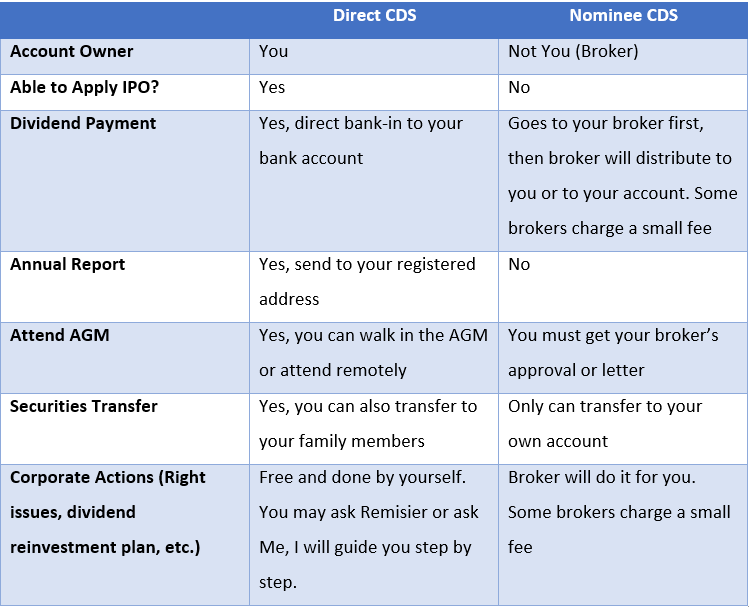
- Your account is a direct CDS account (in your own name at Bursa Depository). Bursa Anywhere does not serve nominee accounts; if your shares are held in a nominee account, ask your broker to reactivate it. Not sure which you have? See direct CDS vs nominee account.
- You can register for Bursa Anywhere. Bursa allows direct CDS account holders to register even while the account is inactive or dormant.
What do I need before I start?
- The Bursa Anywhere app, from the Apple App Store or Google Play (publisher: Bursa Malaysia).
- Your MyKad, and the email address and mobile number for the verification codes.
- Your CDS account number. If you don’t have it, see how to find your CDS account number.
- Online banking for FPX, if your account is dormant (RM5 fee).
How do I reactivate my CDS account on Bursa Anywhere? (step by step)
- Install Bursa Anywhere and open it. Check that the publisher is Bursa Malaysia.
- Register or log in. First-time users register with their MyKad details, email and mobile number and confirm the verification codes. Once registered, you can see your CDS accounts and their status in the app.
- Open My Services from the app’s menu.
- Tap Reactivate CDS Account and choose the account that shows as inactive or dormant.
- Read the terms and tap Agree.
- Inactive account: the request is submitted and your account status is updated straight away. There is no fee.
- Dormant account: pay the RM5 reactivation fee through FPX with your online banking. The status is updated once the payment is successful.
- Check the status on the account screen. It should now show as active.
The menu names above follow the current app; Bursa may rename them in an update. If you can’t find the option, look for “Reactivate” under the services menu.
What the Bursa Anywhere screens look like
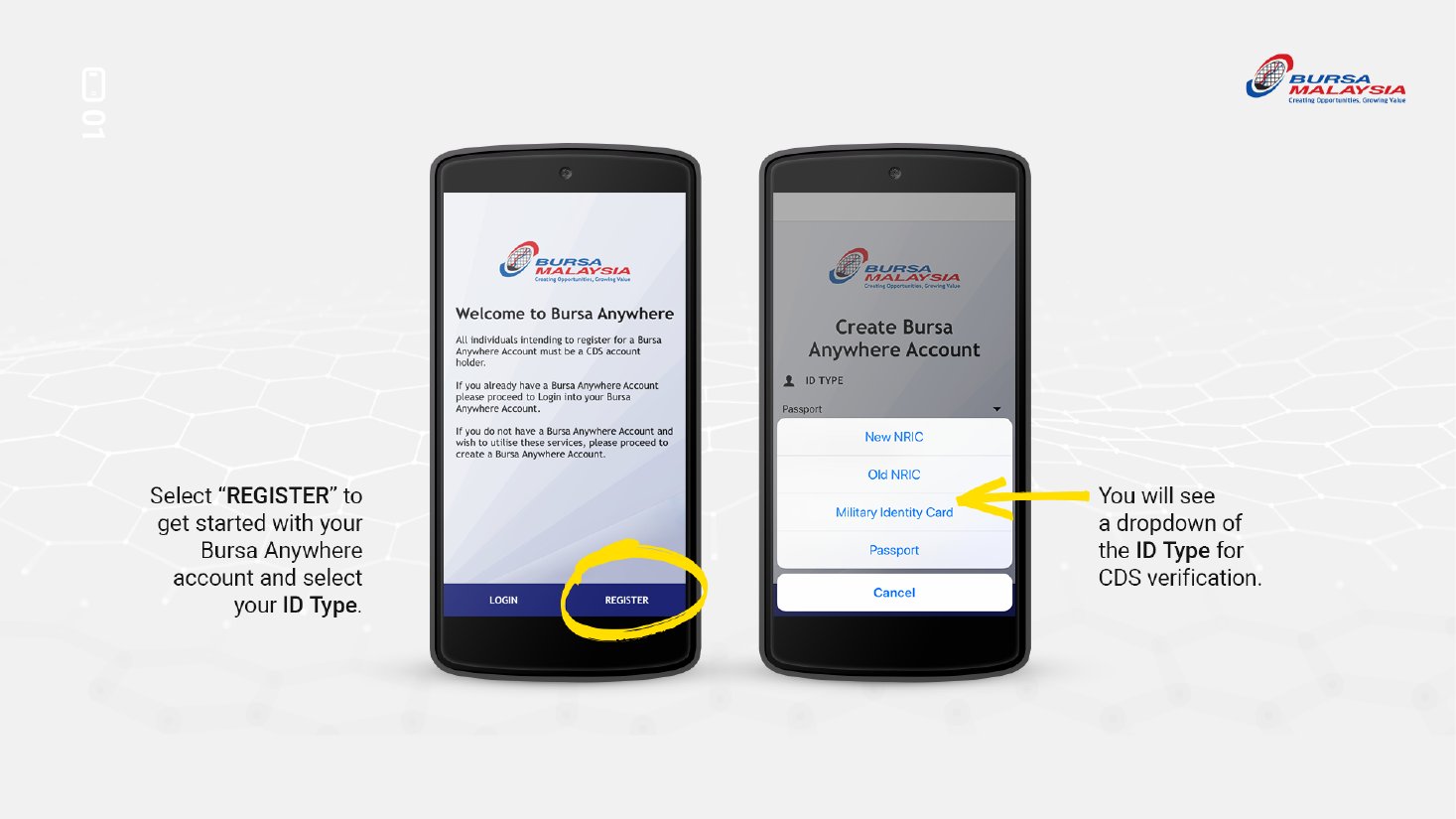
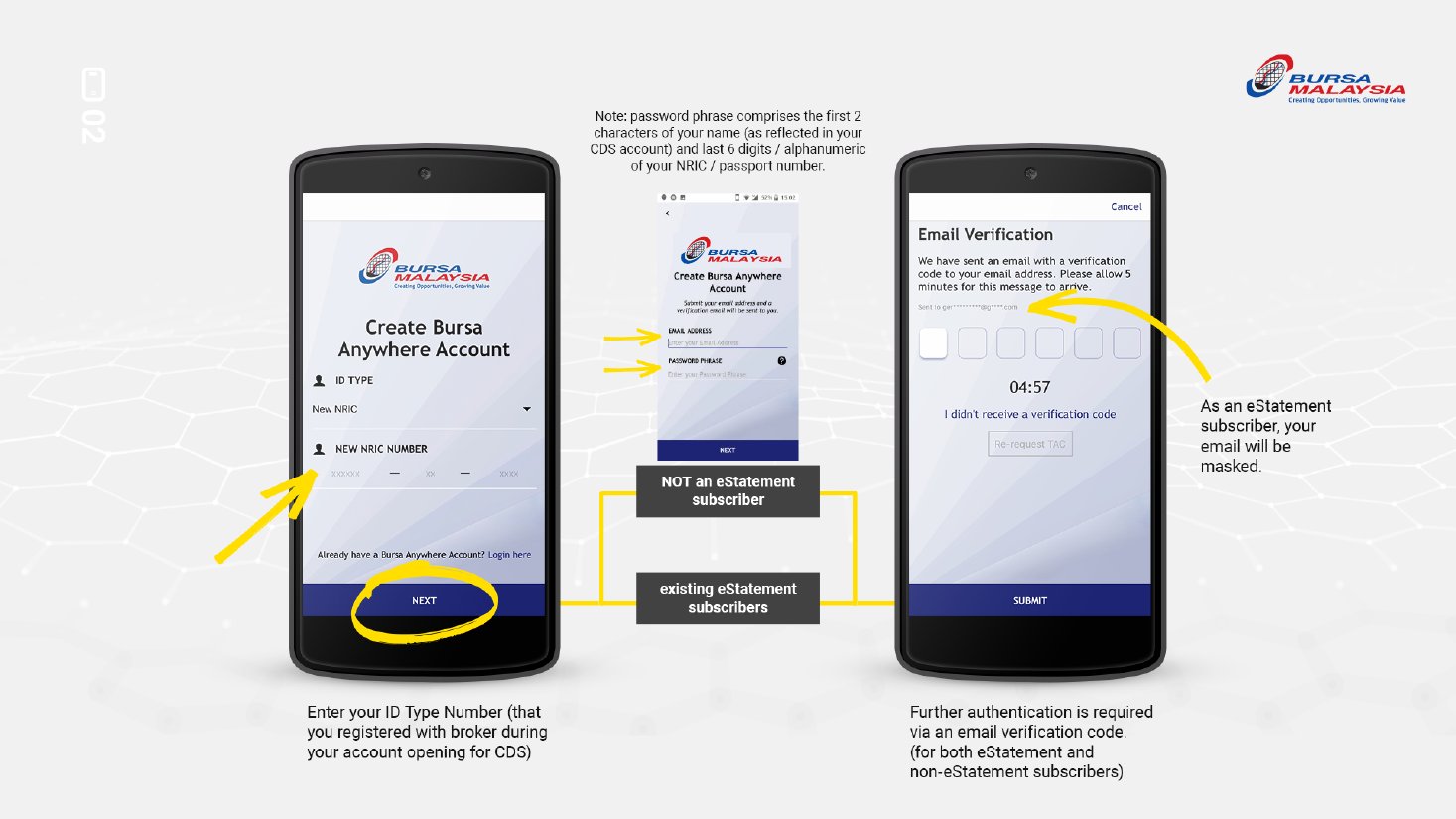
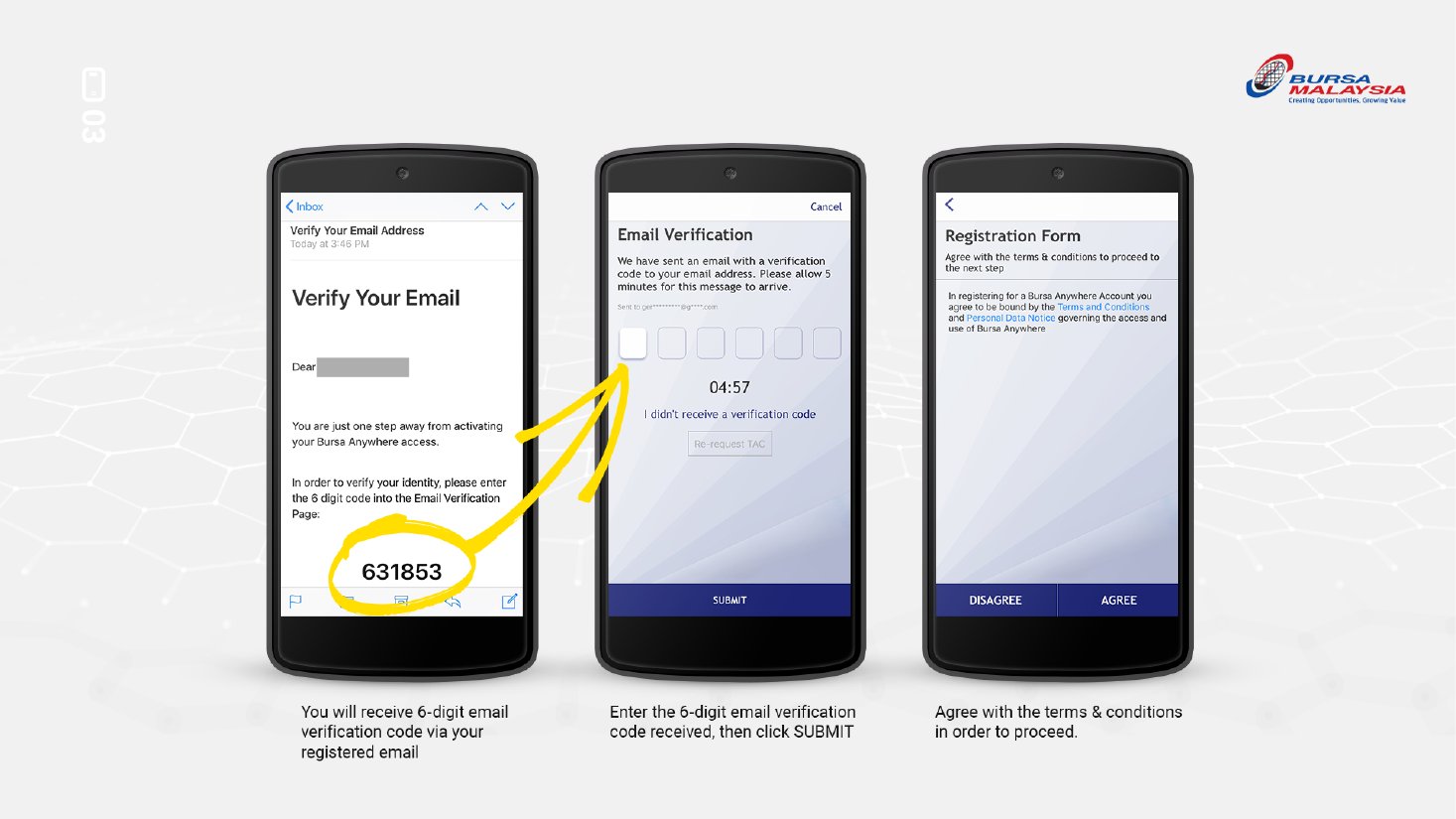
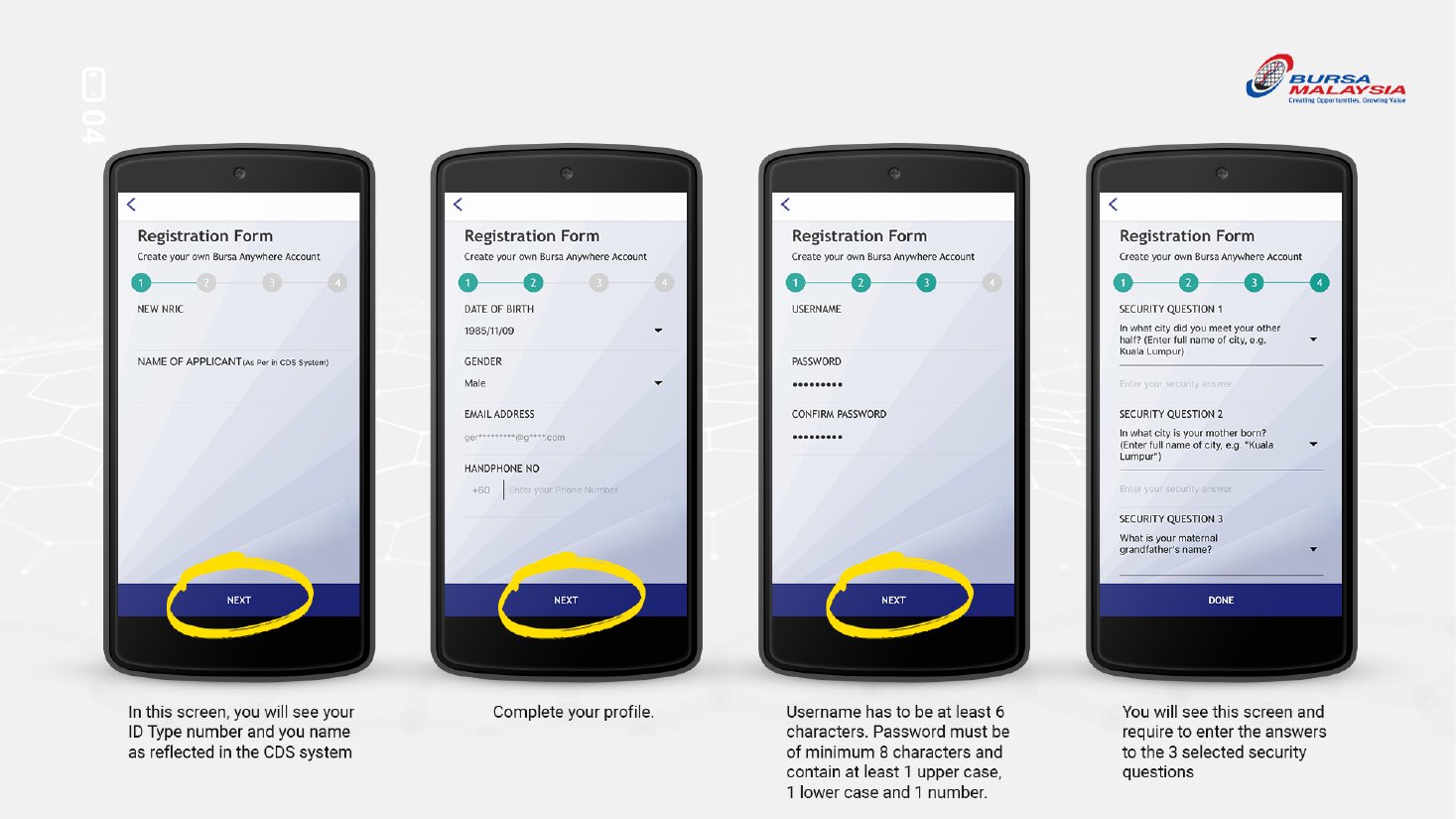
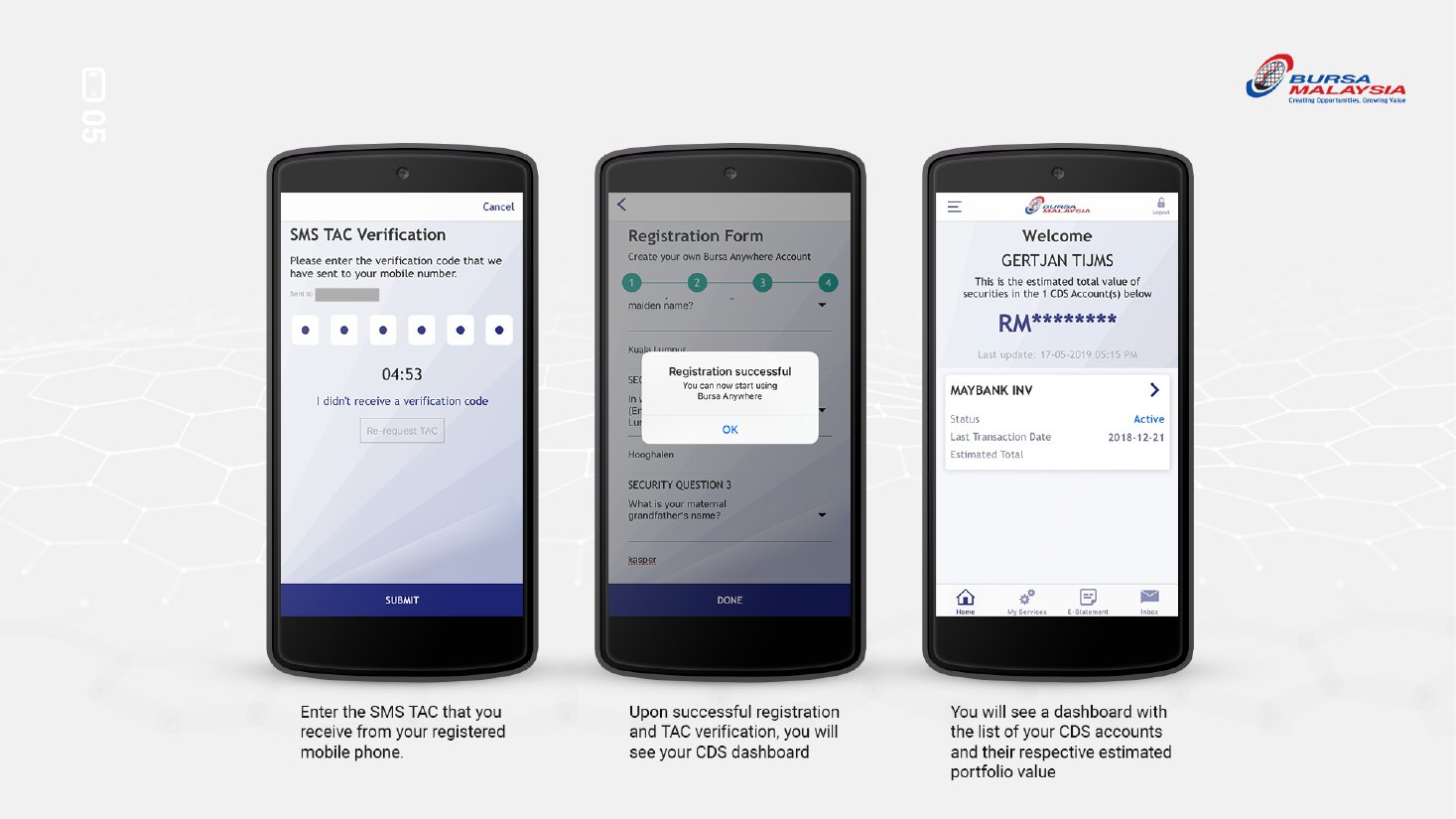
Source: Bursa Malaysia, Guide to Registration of Bursa Anywhere Account
How much does it cost and how long does it take?
- Inactive account: free; updated immediately after the request is submitted.
- Dormant account: RM5, paid by FPX; updated once the fee is paid.
What if I can’t use Bursa Anywhere?
You can reactivate through your stockbroker instead: fill in the Application for Reactivation of CDS Account form and hand it to your broker or remisier, who submits it to Bursa Depository. This route is needed for nominee accounts and for anyone who cannot register for the app, and it usually takes longer than the app. If your account is with M+ Global, your remisier can help you check the account status and submit the form.
What should I do after my CDS account is reactivated?
- Check that your trading account with your broker is also active, and log in to it (for M+ Global users, see the M+ Global (Mplus) guide).
- Use Bursa Anywhere to check your holdings and statements: how to view your CDS holdings on Bursa Anywhere.
- Make sure your bank account is registered for eDividend, so cash dividends are paid straight into it.
Frequently Asked Questions
How do I reactivate a dormant CDS account on Bursa Anywhere?
Log in to Bursa Anywhere, go to My Services, tap Reactivate CDS Account, agree to the terms and pay the RM5 fee by FPX. The account is reactivated once the payment is successful.
Is it free to reactivate an inactive CDS account?
Yes. Reactivating an inactive CDS account on Bursa Anywhere is free and takes effect immediately. Only dormant accounts carry the RM5 fee.
Can I register for Bursa Anywhere if my CDS account is dormant?
Yes. Bursa allows individuals with a direct CDS account to register for Bursa Anywhere whatever the account status, including inactive or dormant.
Why is my CDS account dormant?
A CDS account is flagged as inactive or dormant after 36 months with no debit or credit entries, meaning no shares moved in or out of the account for three years.
Can I reactivate a nominee account on Bursa Anywhere?
No. Bursa Anywhere serves direct CDS accounts only. For a nominee account, ask your broker to reactivate it.
Sources: Bursa Malaysia — Activation of inactive account, How do I reactivate my inactive CDS account?, reactivation fee, registering while dormant, Bursa Anywhere FAQ. Fees and app menus can change; check the app before you start.
Written by Dexter Chia, licensed dealer’s representative (R336) at Malacca Securities (M+ Global). Need help with a dormant account or opening a new one? WhatsApp Dexter, or open an M+ Global account with invitation code UBZQ.