If you hold shares with multiple brokers or just want a clearer view of what you actually own in the depository system, this guide is for you. I help clients do this every week, and once you understand what Bursa Anywhere does — and what it does not do — it becomes an invaluable tool for keeping your portfolio organised.
What Bursa Anywhere Is (and What It Is Not)
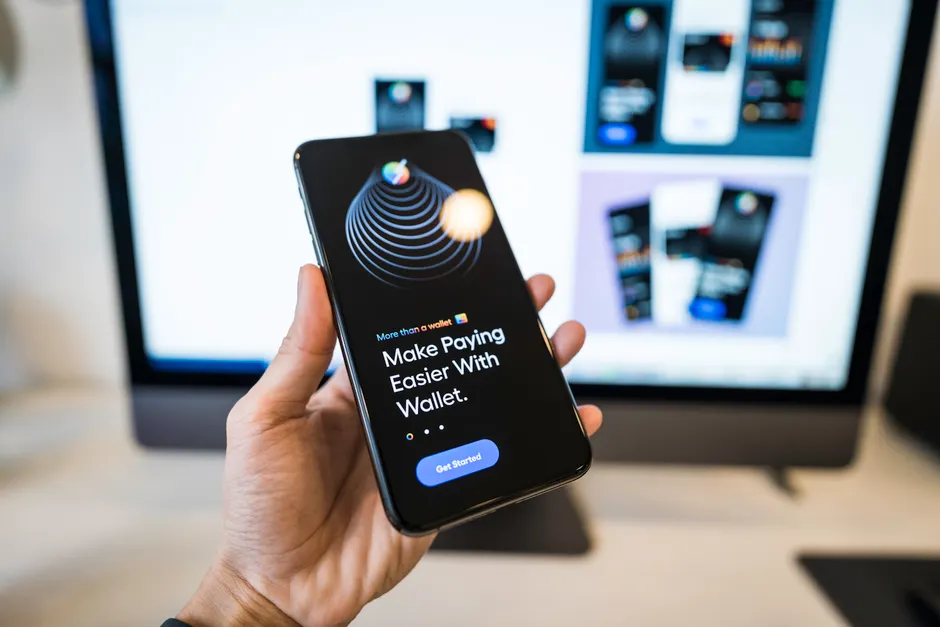
Bursa Anywhere is the official mobile app run by Bursa Malaysia. It connects directly to the Central Depository System (CDS), which is the scripless depository that holds all Malaysian shares in electronic form.
Here is what matters: Bursa Anywhere shows you what you own. It does not let you buy or sell. When you place a trade, you use your broker’s app — in our case, the M+ Global app. The trade settles into your CDS account (on T+2, since 2019), and then you see the updated holding in Bursa Anywhere.
Think of it this way. M+ Global is your trading platform. Bursa Anywhere is your depository statement. One is for action, the other is for truth-checking.
Registering for Bursa Anywhere
Before you can use Bursa Anywhere, you need at least one active CDS account. If you have already opened a trading account with us at Malacca Securities, you already have a CDS account — it is a 15-digit number starting 012-001.
To register for Bursa Anywhere:
- Download the Bursa Anywhere app from the Apple App Store or Google Play Store.
- Open the app and choose to register as a new user.
- Enter your identity number (NRIC or passport number) and other basic details.
- The app will ask you to verify your identity — this usually involves a one-time PIN or biometric verification on your phone.
- Complete the verification step. This is where many people get stuck, so keep your phone details up to date with your broker first.
- Once verified, your CDS account(s) will appear in the app.
If verification fails, the first step is to contact your remisier or broker support to confirm your registered mobile number and email address in our system are correct. You cannot proceed without a successful verification.
Viewing Your CDS Holdings Across Brokers
One of the biggest benefits of Bursa Anywhere is seeing all your holdings in one place, even if you hold shares with different brokers.
Each broker gives you a separate CDS account number. So if you trade with Malacca Securities and another broker, you will have two different CDS accounts. In Bursa Anywhere, you can switch between these accounts and see the full holdings in each one.
When you open the app after logging in, you will see a list of your CDS accounts. Tap on any account to see the shares held in that account — the quantity, price, and the depository value if that information is available.
This is especially useful if you are planning to consolidate your portfolio or if you simply want to know exactly what is sitting in the depository across all your broker relationships.
Checking CDS Statements and Notifications
Bursa Anywhere shows you movements in your CDS account — that is, every time shares move in or out. These movements happen when a trade settles, when you receive a corporate action dividend, or when you transfer shares between accounts.
To view your statement history, look for the notifications or statement section in Bursa Anywhere. You will see a record of each event with the date, the number of shares affected, and the type of movement.
This is your proof of what settled and when. If a trade should have arrived by now and it is not showing, you know something needs investigating. If you see a corporate action dividend, you can cross-check it against what your broker told you to expect.
Keep in mind that Bursa Anywhere shows CDS movements only. Your broker’s app may show different dates because it displays when your broker processed something, not when the depository recorded it.
Updating Your CDS Details Versus Broker Details
Here is a point that confuses many investors. Your contact details and personal information exist in two separate places: with your broker and with the CDS system (via Bursa Anywhere).
If you change your phone number or address, you must update both. Update your broker details directly with your remisier or through the M+ Global app under account settings. Update your CDS details through the settings menu in Bursa Anywhere.
Why both? Because corporate actions, notifications, and regulatory correspondence may come from either channel. If your details are out of sync, you could miss an important message.
I see clients update one and forget the other. Make a note to do both at the same time whenever you move.
Transferring Shares Between Your Own CDS Accounts
If you hold shares with multiple brokers and want to consolidate them into one CDS account, you can transfer shares between your own accounts.
The process is called an inter-account transfer. You initiate it through your broker (or your remisier can help you). You specify which shares, how many, and which CDS account they are moving to.
The transfer happens through the depository system, and there may be fees involved — check with your broker for the current cost. Once the transfer completes, the shares will show in Bursa Anywhere under the receiving CDS account.
This is useful if you have scattered holdings across two or three brokers and want to manage them all from one place. Just remember that each broker has different trading conditions, so consolidation is about organisation, not about changing your broker relationship.
Troubleshooting Common Problems
Registration verification is failing: This usually means your registered contact details do not match what is on file with your broker. Contact your remisier or the M+ Global support line to confirm your NRIC number, mobile number, and email address are correct in our system. Then try registering again.
Your CDS account is not showing in Bursa Anywhere: If you have just opened a trading account with us, it may take a day or two for your CDS account to activate in the depository system. If it has been longer than that, reach out to your remisier. It could also mean your account is dormant (see next point).
Your account shows as dormant: A CDS account may be marked dormant if there has been no activity for an extended period. A dormant account is still yours, but you may need to reactivate it before trading again. Your broker can help with this process.
You have successfully traded, but the shares are not showing in Bursa Anywhere yet: Remember that trades settle on T+2. If you bought shares today, they will not appear in your CDS holding until two business days later. Check Bursa Anywhere on the settlement date.
How Bursa Anywhere and M+ Global Work Together
Think of your investing workflow like this: use M+ Global to place your trades and manage your orders, then use Bursa Anywhere to verify what actually settled in the depository and to review your holdings.
M+ Global shows you live market prices, your order history, and your trading account balance. Bursa Anywhere shows you the depository record — the actual legal ownership of shares as recorded by the system.
They talk to each other. When a trade settles, it flows from M+ Global into your CDS account, and then it appears in Bursa Anywhere. But they are separate systems run by separate entities (M+ by Malacca Securities, Bursa Anywhere by Bursa Malaysia), so occasionally there can be small timing differences while data syncs.
The practical result: use both. Trade in M+ Global, verify in Bursa Anywhere.
Common Mistakes to Avoid
- Expecting to trade in Bursa Anywhere: You cannot. Do not try to look for a buy or sell button. It is not there. Go to M+ Global to trade.
- Updating details in one place only: If you change your contact information, update it in both M+ Global and Bursa Anywhere. They do not sync automatically.
- Panicking when trades do not show immediately: Trades settle on T+2. If you bought shares on Monday, they arrive in your CDS account on Wednesday. Check on Wednesday, not Tuesday.
- Forgetting you have multiple CDS accounts: If you have traded with different brokers, you have different CDS accounts. Switch between them in Bursa Anywhere to see all your holdings.
- Not checking if your account is dormant: If you have not traded for a long time, your CDS account may need reactivation. Contact your remisier before assuming something is wrong.
Key Takeaways
- Bursa Anywhere is Bursa Malaysia’s official app for viewing your CDS account holdings and statements — it is separate from your broker’s trading app and does not allow buying or selling.
- You need an active CDS account to register, and the process includes identity verification in the app.
- You can view all your CDS accounts across different brokers in one place and monitor the movement history of your shares.
- Update your personal details in both Bursa Anywhere and your broker’s system — they do not sync automatically.
- You can transfer shares between your own CDS accounts at different brokers to consolidate holdings, though fees may apply.
- If registration or account viewing fails, contact your remisier or broker support — do not try to troubleshoot alone.
Frequently Asked Questions
Do I need to register for Bursa Anywhere if I already have a broker account?
Yes. Having a broker account like M+ Global does not automatically give you access to Bursa Anywhere — you must download the app and register separately using your NRIC and CDS account details.
Can I buy or sell shares through Bursa Anywhere?
No. Bursa Anywhere is read-only. It shows you what you own in the depository, but you place all buy and sell orders through your broker’s app, which is M+ Global in our case.
How long does it take to see my traded shares in Bursa Anywhere?
Trades settle on T+2, so if you buy shares on Monday, they appear in your CDS holding on Wednesday. Bursa Anywhere may take a few hours after settlement to reflect the change.
What should I do if Bursa Anywhere says my account is dormant?
Contact your remisier or broker support. A dormant account can be reactivated, but you need your broker’s help to do it. You cannot reactivate it yourself through Bursa Anywhere.
I have accounts with two different brokers — can I see both in Bursa Anywhere?
Yes. Each broker gives you a separate CDS account number, and you can register all of them in Bursa Anywhere. You can switch between accounts in the app to see your holdings at each broker.
Get Help With Your CDS Account Today
Bursa Anywhere takes five minutes to set up once you understand what it does. From there, it becomes your go-to tool for checking what you actually own in the depository system — no guessing, no waiting for your broker’s app to update.
If you run into trouble with registration, verification, or viewing your holdings, do not sit with it. Reach out to me directly. I am Dexter Chia, a remisier at Malacca Securities Sdn Bhd, and I help clients with this every week. If you are looking to start trading with us, you can use the M+ Global Invitation Code UBZQ when you sign up. You can also reach me on WhatsApp at +60169059789 — that is often the quickest way to sort things out if something is not working as expected.
Need Help With This?
If you are an M+ Global client and need help with this process, message me directly — I handle these requests for clients every week.
WhatsApp: +60169059789 | M+ Global Invitation Code: UBZQ
Disclaimer: This article is for informational purposes only and does not constitute financial advice. Always do your own research before making investment decisions.
Want to invest in Bursa Malaysia or US markets? Contact Dexter Chia, an AI Driven Remisier who has 2,200+ clients at Malacca Securities Sdn Bhd (M+ Global). M+ Global Invitation Code: UBZQ | WhatsApp: +60169059789 | Why Choose Dexter?