Who This Guide Is For
If you’re a Malaysian investor holding shares in your M+ Global account and want to move them to another broker, this guide walks you through the exact steps. Whether you’re consolidating accounts or switching brokers entirely, the process is straightforward and can be done directly from the M+ Global app.
How to Transfer Stocks Out of M+ Global
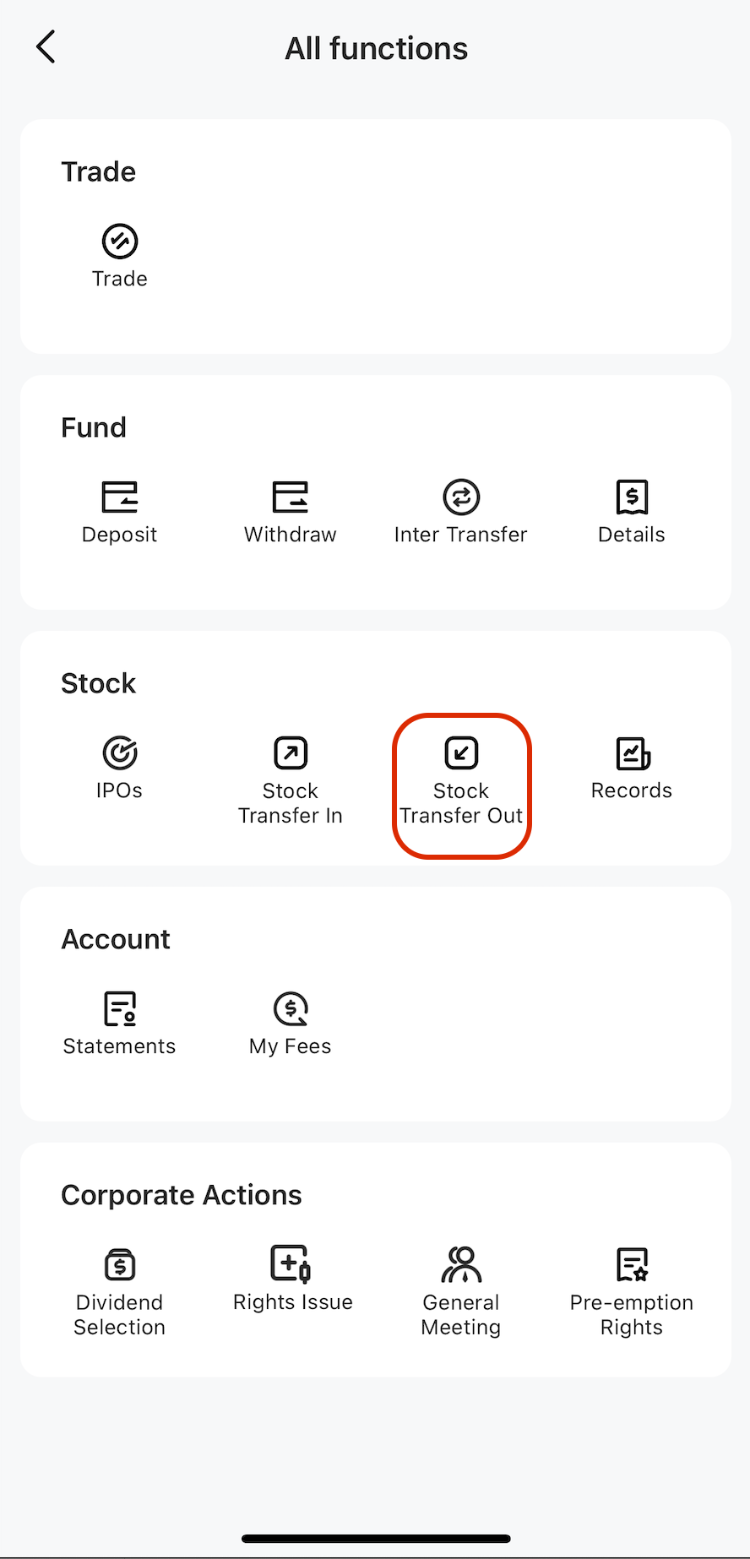
Step 1: Open Stock Transfer Out
- In the ‘All function’ page, click ‘Stock transfer out’
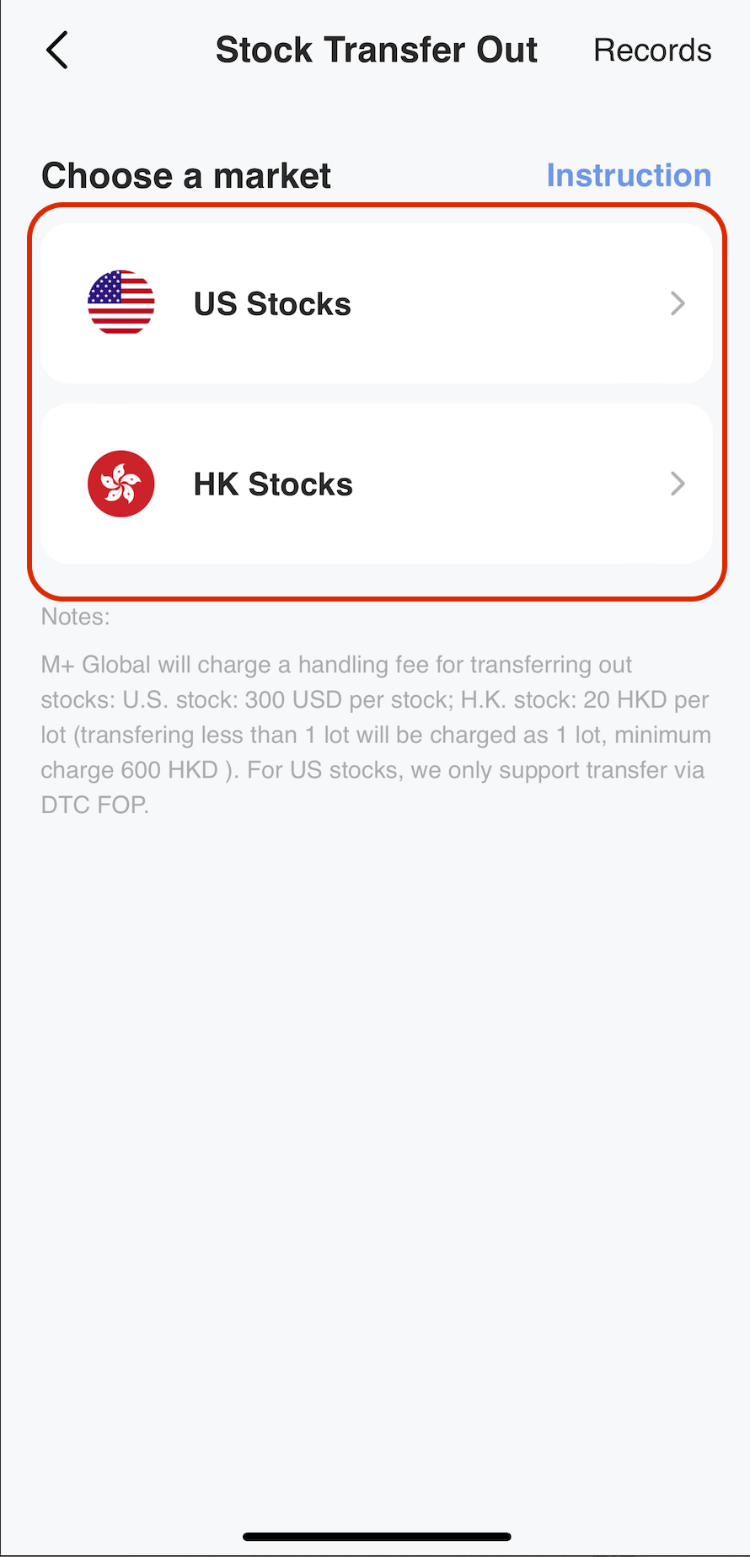
Step 2: Select Your Market
- Choose which market your stocks are listed on (for example, Bursa Malaysia or other supported markets)
Step 3: Enter Receiving Broker Details
- Input the ‘Receiving broker information’ — this is the broker account you want your stocks transferred to
- Click ‘Next’ to proceed
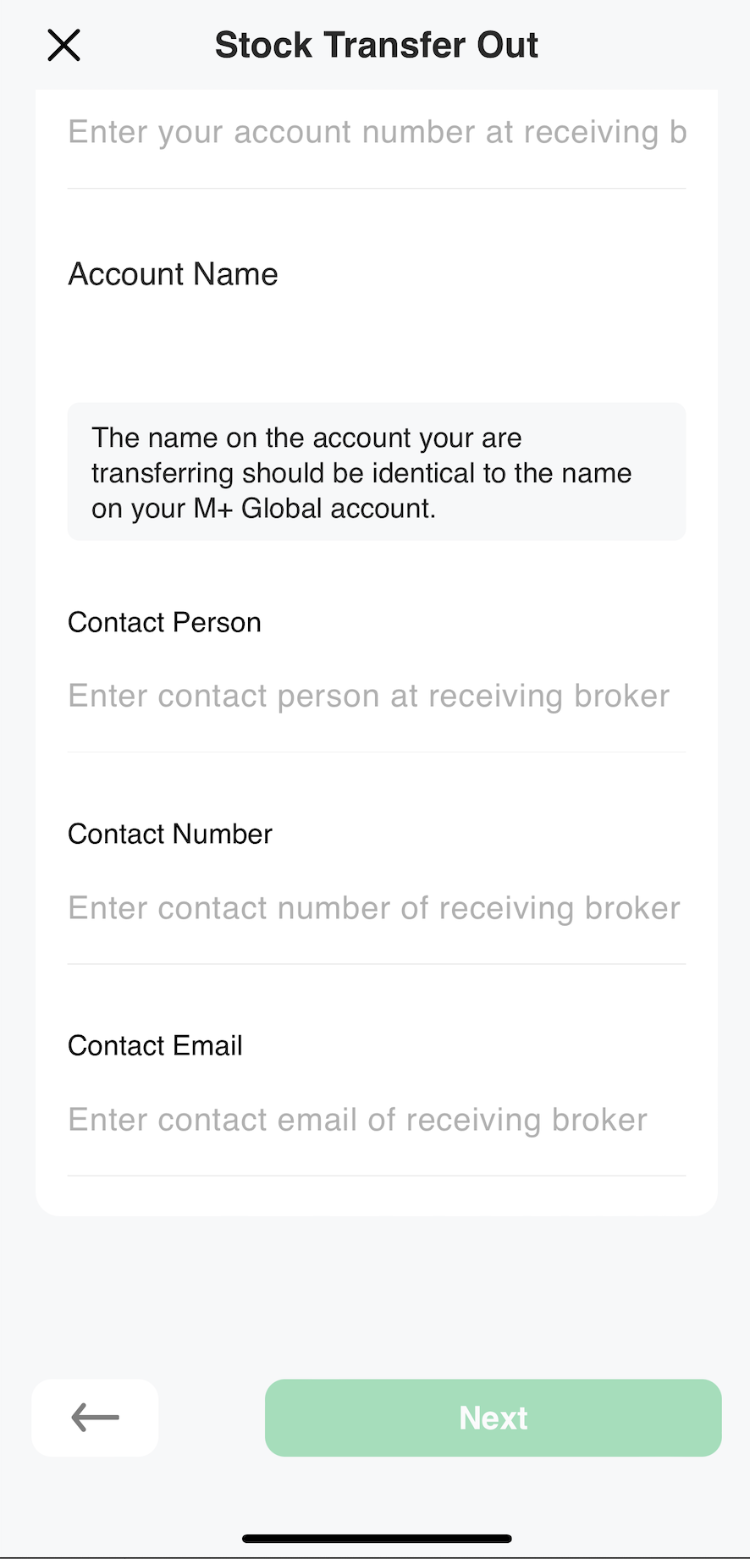
Remisier tip: Make sure you have your new broker’s account details ready before you start. Double-check the broker name and account number to avoid delays or transfers going to the wrong place.
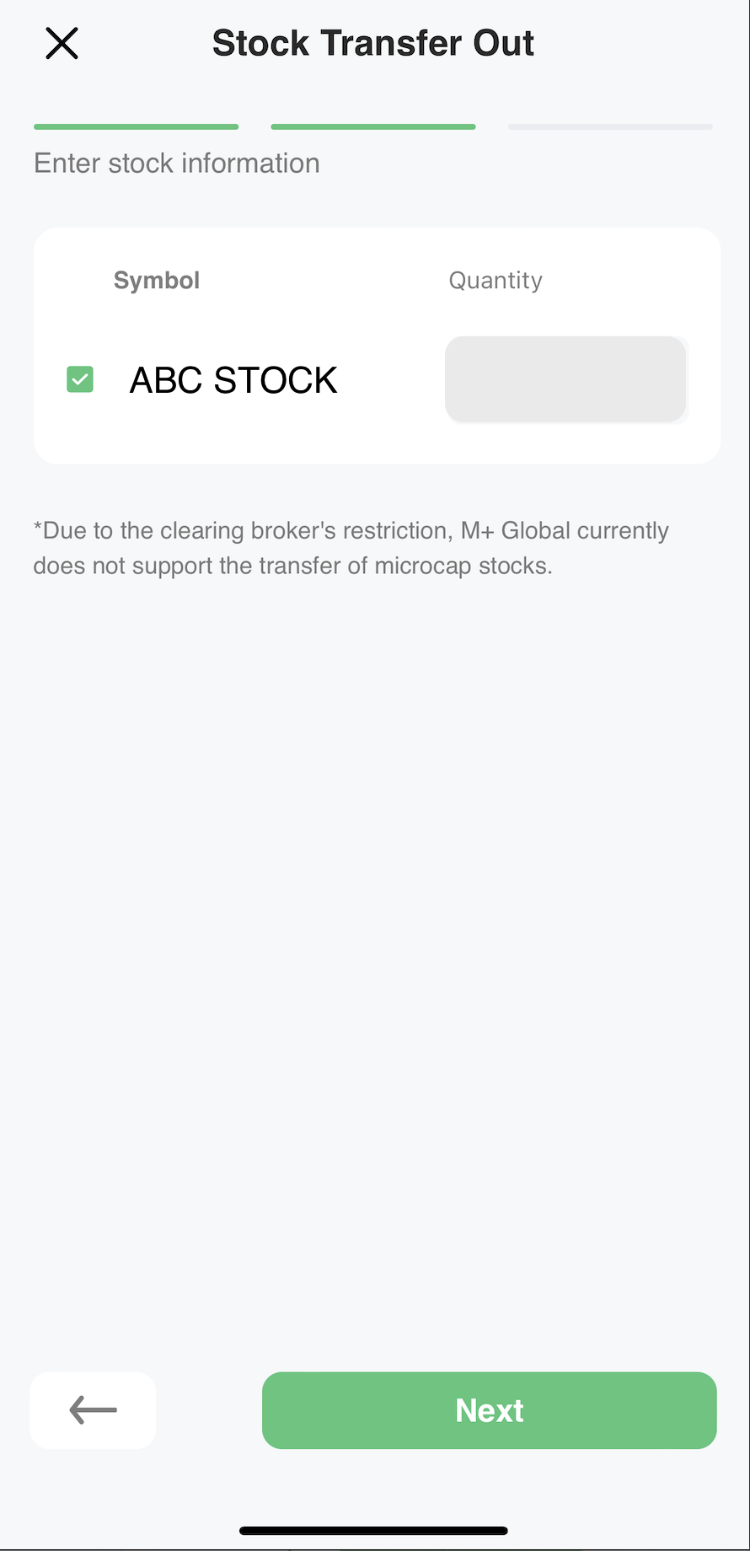
Step 4: Select Stocks to Transfer
- Choose which stocks you want to transfer out from your M+ Global holdings
- Click ‘Next’
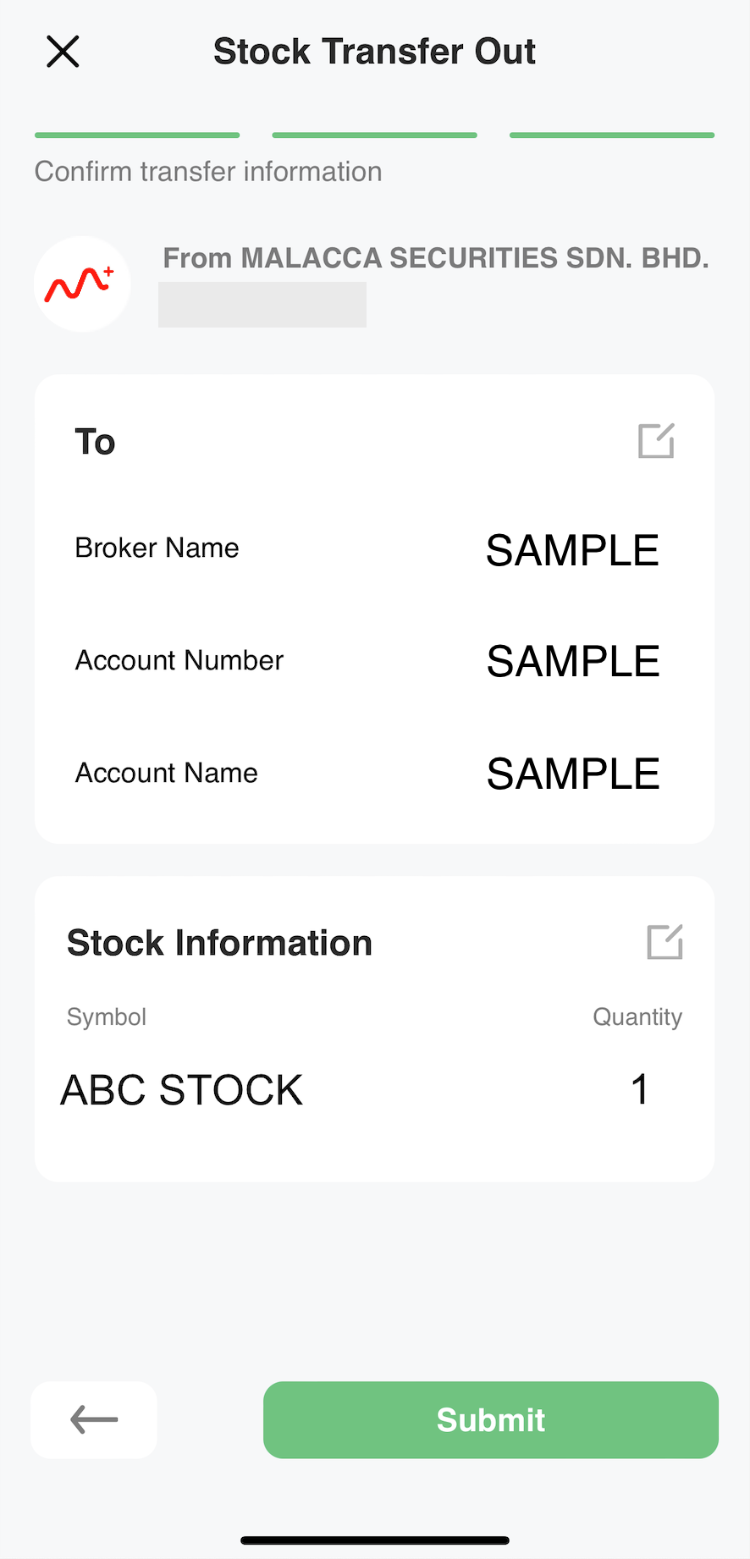
Step 5: Confirm and Submit
- Review all the details for your stock transfer request carefully
- Click ‘Submit’ to complete the request
Processing Timeline and Fees
After you submit your transfer request, M+ Global will process it within 1 week. However, the actual arrival time of your stocks at the receiving broker may take longer, depending on how quickly your new broker processes incoming transfers.
There are service charges for stock transfer out requests. For the current fee structure, check the M+ Global support page for detailed pricing.
Key Takeaways
- Stock transfers out of M+ Global are initiated through the app in five simple steps
- You must provide your receiving broker’s details before selecting which stocks to move
- M+ Global processes requests within 1 week; final arrival time depends on your new broker
- Service charges apply — review the fee schedule on the M+ Global support site
- Double-check all broker details before submitting to avoid errors or delays
Frequently Asked Questions
How long does it take to transfer stocks out of M+ Global?
M+ Global processes your transfer request within 1 week. The actual arrival time at your receiving broker may be longer, depending on that broker’s processing speed. It’s best to allow 1–2 weeks for the full transfer to complete.
What information do I need from my receiving broker?
You’ll need your receiving broker’s account details, including the broker name and your account number with them. Have this information ready before you start the transfer process.
Are there fees to transfer stocks out?
Yes, M+ Global charges service fees for stock transfer out requests. Visit the M+ Global support page to see the current fee structure.
Can I transfer stocks from multiple markets at once?
You select the market first, then choose which stocks to transfer. If your stocks are listed on different markets, you may need to process separate transfer requests for each market.
What if I enter the wrong broker details?
It’s important to verify all broker information before submitting. If you make a mistake, contact M+ Global support as soon as possible to correct it or cancel the request before processing begins.
More M+ Global guides
Open your M+ Global account with Dexter Chia
Sign up in the M+ Global app with Invitation Code UBZQ to get AI automated tools, AI stock analysis and AI alerts — and a remisier you can actually reach.
WhatsApp: +60169059789 | Why choose Dexter?
Source: based on the official M+ Global Help Centre (Malacca Securities Sdn Bhd). Fees, hours and procedures are set by Malacca Securities and the exchanges and may change — check the M+ Global app or ask your remisier for the latest.
Disclaimer: This guide is for general information only and is not financial advice.