Who This Guide Is For
This guide is for Malaysian retail investors who already hold stocks with another broker and want to move them into their M+ Global account. Whether you’re consolidating portfolios or switching brokers, stock transfer-in is a straightforward process—and it costs nothing.
How to Transfer Stock Into M+ Global
Video Guide
If you prefer to learn visually, M+ Global has published a video guide on YouTube that walks you through the entire process.
Step-by-Step Instructions
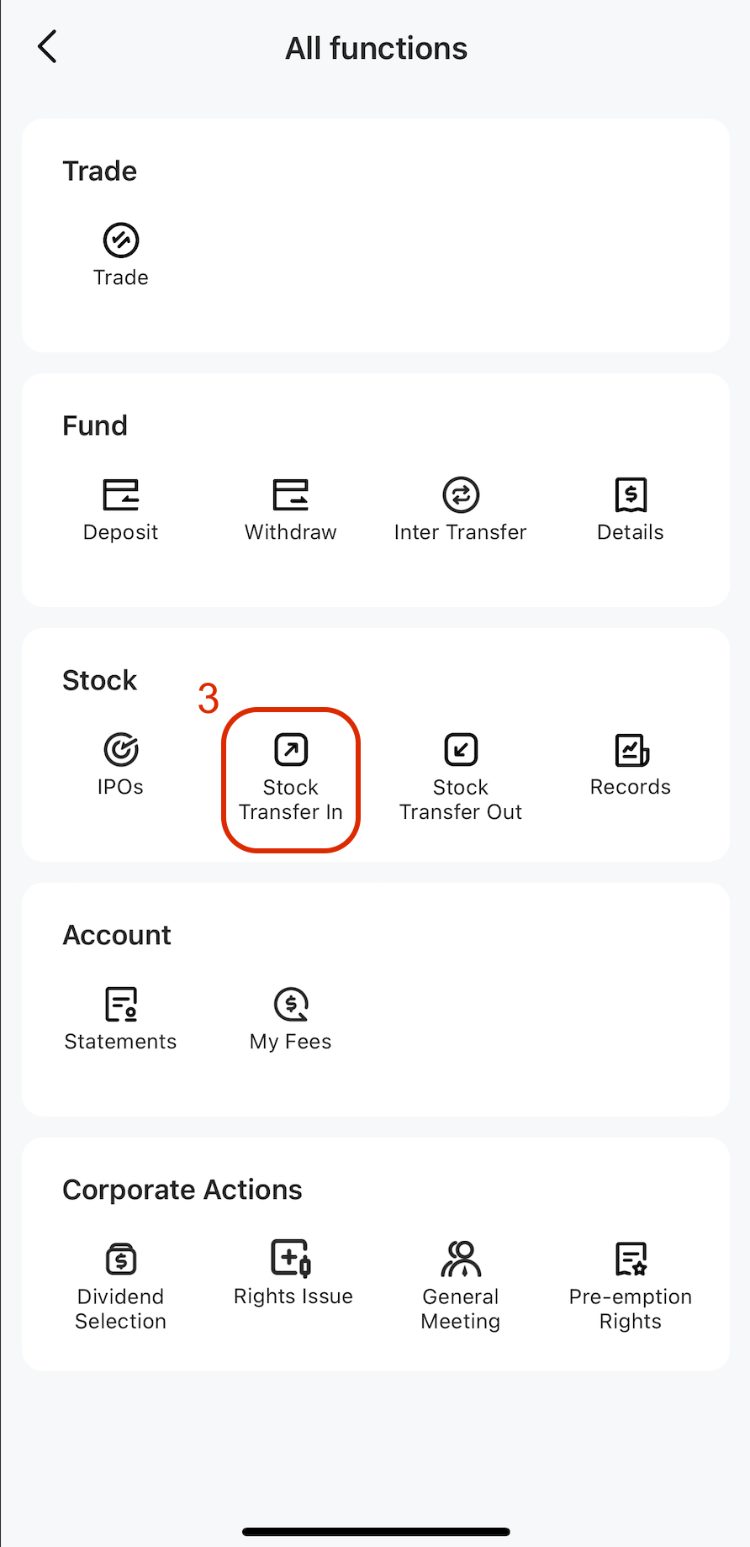
- Open the M+ Global App and navigate to Stock Transfer In
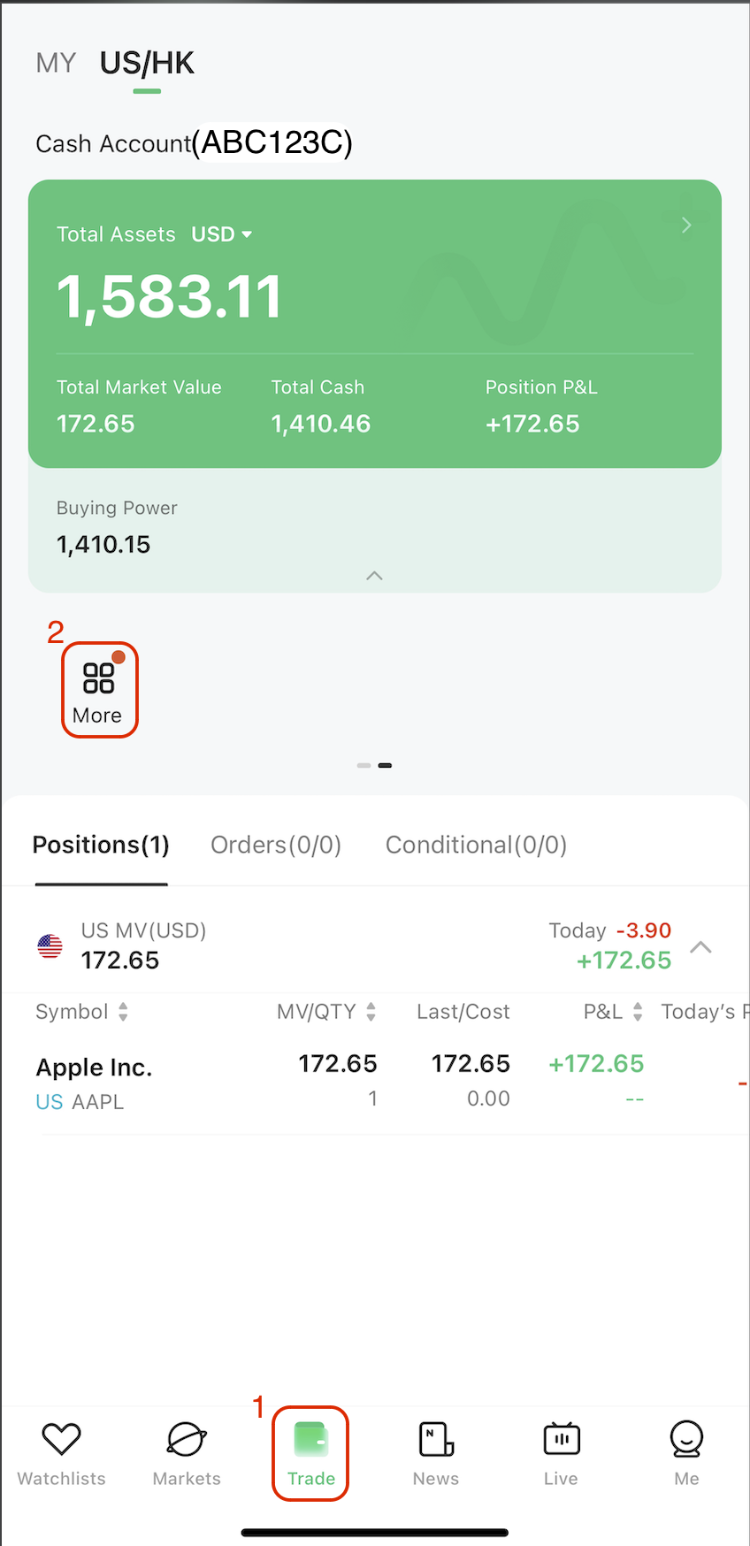
Log into your M+ Global app. Tap Trade → More → Stock Transfer In from the “All functions” page. - Select the market
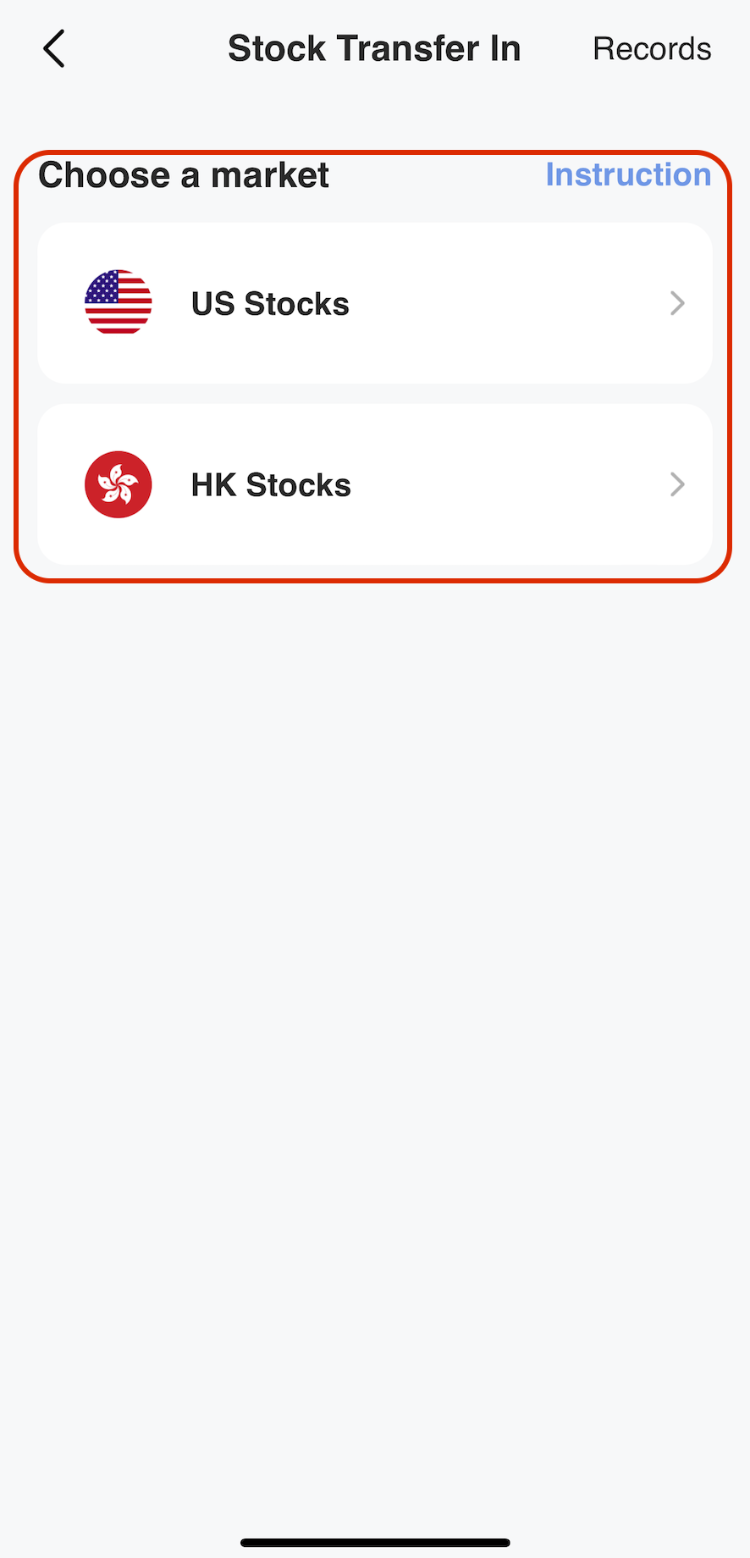
On the Stock Transfer In page, choose which market your stocks are listed on (e.g. Bursa Malaysia Main Market, ACE Market, etc.). - Enter your delivery broker’s details
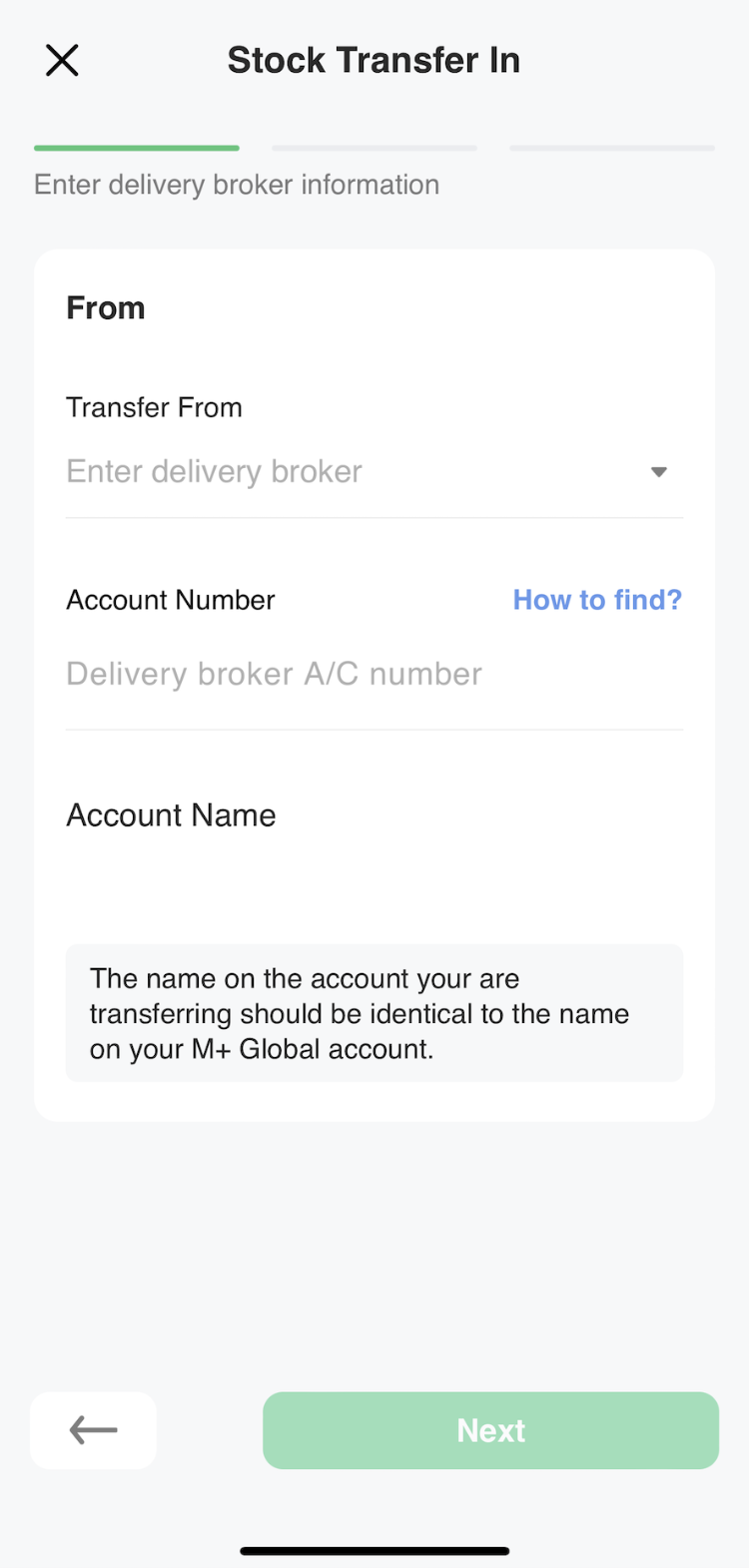
Fill in the information of the broker you’re transferring stocks from—the one currently holding your shares. - Enter stock information
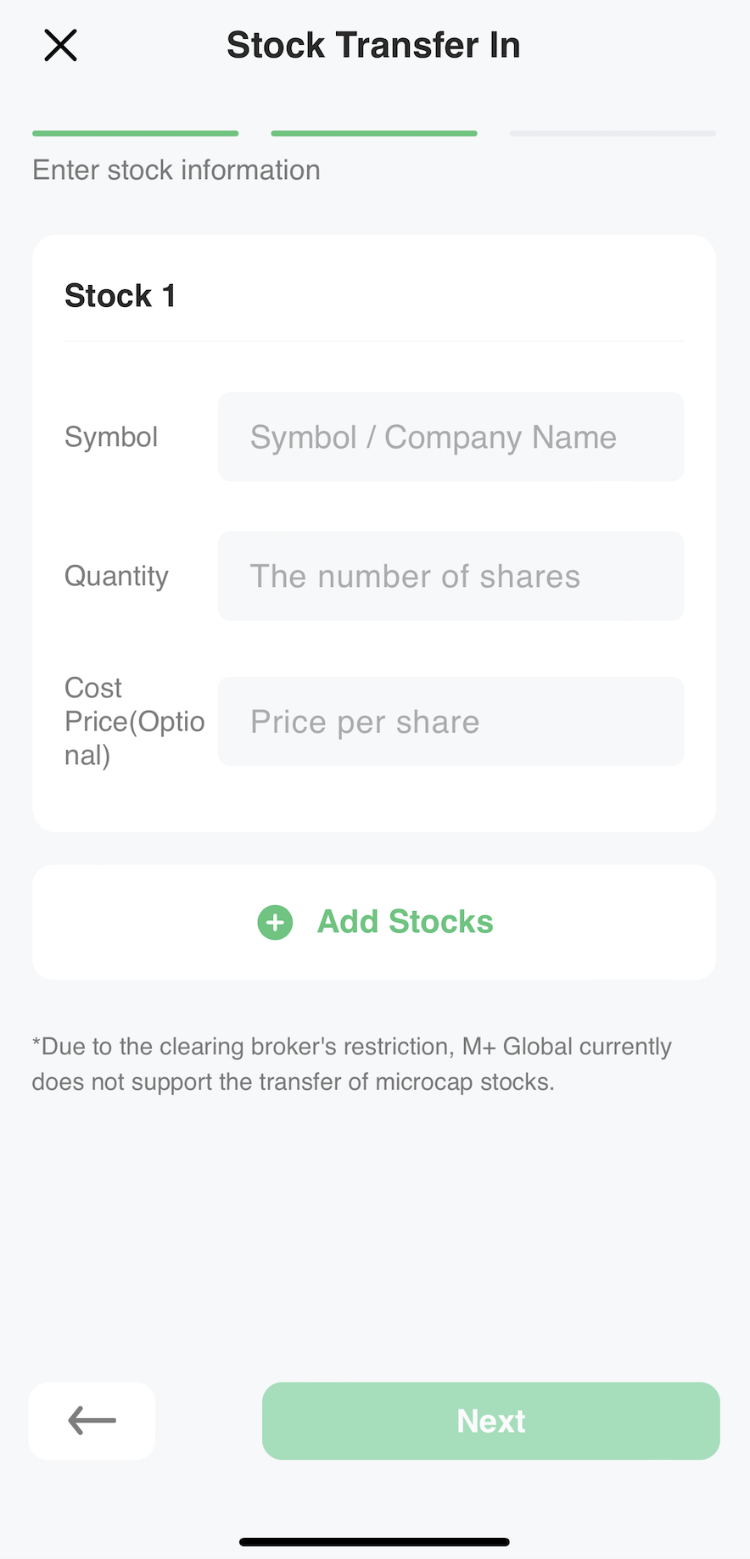
Provide details about each stock you want to transfer: company code, quantity, and any other required fields. Once complete, tap Next. - Review and submit
Check that all transfer details are correct, then click Submit. Your transfer-in application is now registered with M+ Global.
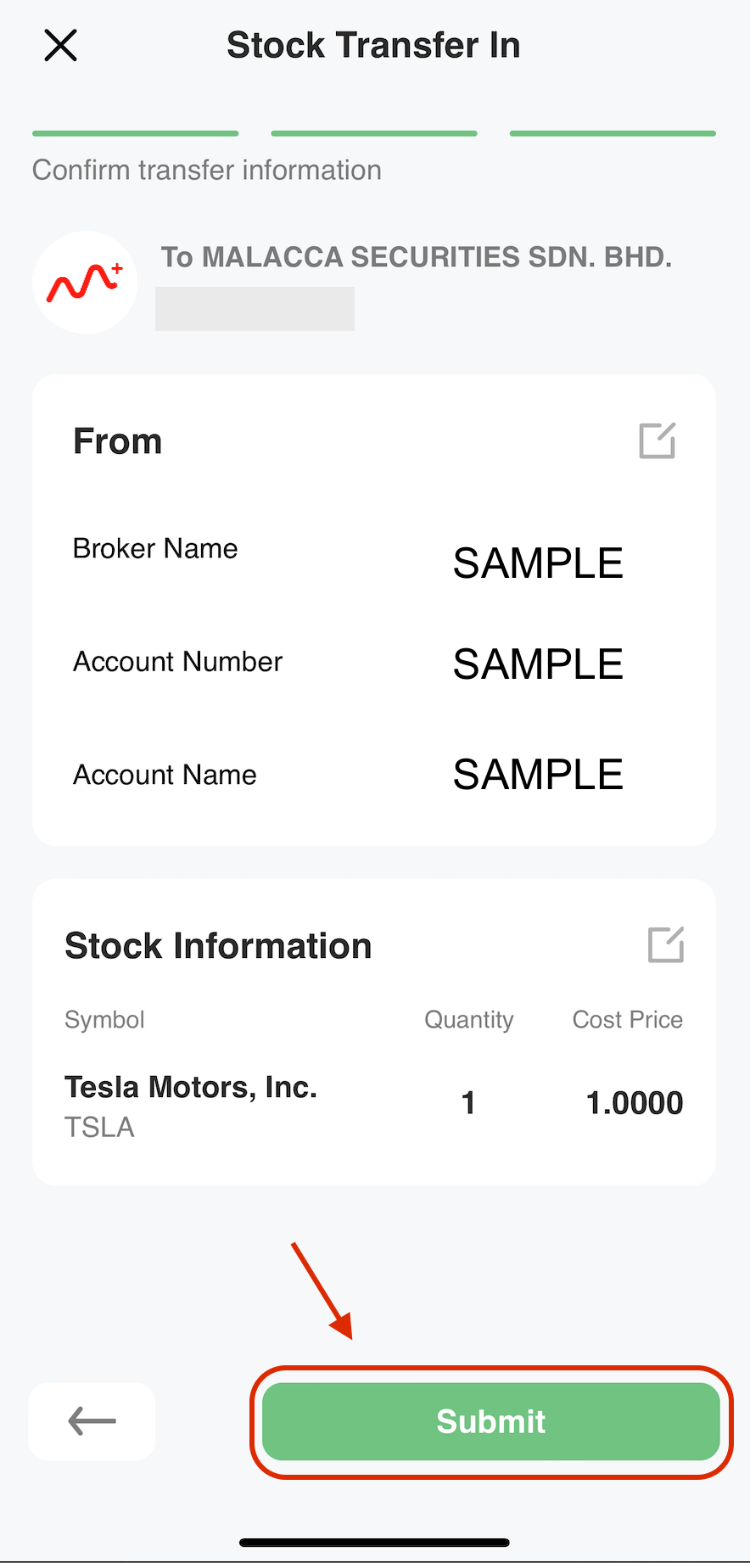
Remisier tip: Double-check your delivery broker’s name and registration number before submitting—errors here can slow down processing. Also, make sure your stock quantities and codes match exactly what your current broker has on record.
The Critical Next Step: Request Transfer-Out From Your Current Broker
Here’s what many investors miss: submitting the transfer-in request in M+ Global is only half the process. You must also contact your current broker directly and ask them to initiate the transfer-out of those same stocks to M+ Global (Malacca Securities Sdn Bhd, code R336).
Without this second step, your stocks won’t actually move. Think of it as a two-way handshake: M+ Global says “ready to receive,” and your old broker says “ready to send.”
Processing Time and Fees
Once both you and your delivery broker have submitted your requests, allow 3–4 weeks for the stock transfer to complete. This timeline begins after your transfer-in application has been successfully submitted.
Cost: There is no fee charged by M+ Global for stock transfer-in requests. This makes it an economical way to consolidate or switch brokers.
Key Takeaways
- Stock transfer-in is initiated through the M+ Global app under Trade → More → Stock Transfer In
- You must submit the transfer-in request AND contact your current broker to request transfer-out
- Processing typically takes 3–4 weeks from successful submission
- M+ Global charges no fees for this service
- Accuracy in broker details and stock information is essential to avoid delays
- The transfer applies to stocks listed on Bursa Malaysia (Main Market and ACE Market)
Frequently Asked Questions
Do I have to pay a fee to transfer stocks into M+ Global?
No. M+ Global charges no fees for stock transfer-in requests. However, your current broker may have their own transfer-out fees—contact them to confirm.
How long does stock transfer-in take?
The transfer will be processed within 3–4 weeks upon successful submission of your transfer-in application. This assumes both M+ Global and your delivery broker have received and processed the matching requests.
What if I submit the M+ Global form but don’t contact my old broker?
Your stocks will not transfer. You must initiate transfer-out with your current broker for the process to work. M+ Global is ready to receive, but your old broker needs to send.
Which markets can I transfer stocks from?
You can transfer stocks listed on Bursa Malaysia, including the Main Market and ACE Market. Select the correct market when you fill in your transfer details.
Can I track my transfer status in the M+ Global app?
The article does not specify a tracking feature, so contact M+ Global customer support directly if you need updates on your transfer status.
More M+ Global guides
Open your M+ Global account with Dexter Chia
Sign up in the M+ Global app with Invitation Code UBZQ to get AI automated tools, AI stock analysis and AI alerts — and a remisier you can actually reach.
WhatsApp: +60169059789 | Why choose Dexter?
Source: based on the official M+ Global Help Centre (Malacca Securities Sdn Bhd). Fees, hours and procedures are set by Malacca Securities and the exchanges and may change — check the M+ Global app or ask your remisier for the latest.
Disclaimer: This guide is for general information only and is not financial advice.