On 20 October 2026, Prime Minister Datuk Seri Anwar Ibrahim urged Malaysians to use TuJu instead of Waze, citing data-security concerns because Waze is subject to Israeli law, and civil servants have been told to stop using Waze. If you are switching for the first time, this guide walks you through TuJu step by step, explains every main feature, and tells you what it cannot do yet.
What is the TuJu app?
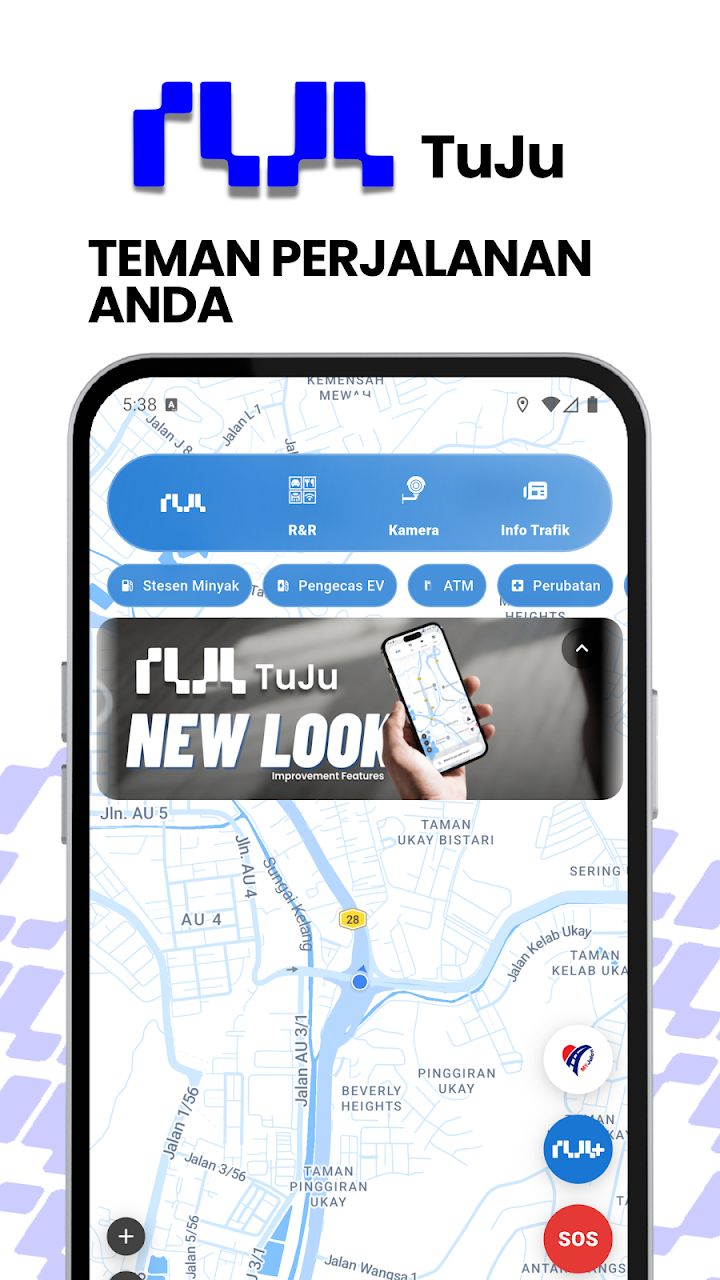
TuJu is a navigation app built for Malaysian highways by the Malaysian Highway Authority (Lembaga Lebuhraya Malaysia, LLM) together with Prosignal Consortium Sdn Bhd, a local company. It was launched in November 2025. The map and place search are based on Google Maps data, and on top of that TuJu adds highway information from LLM: toll charges, R&R stops, traffic updates and highway CCTV images.
- Price: free
- Phones: Android (Google Play) and iPhone (Apple App Store)
- Made by: LLM and Prosignal Consortium Sdn Bhd (Malaysian)
How do I download and register for TuJu?
- Open Google Play (Android) or the App Store (iPhone) and search for TuJu. Check that the developer is linked to LLM before you install, to avoid copycat apps.
- Open the app and choose how to sign in: Sign in with Google, Sign in with Apple or Sign in with email.
- Allow the permissions the app asks for, including location, so it can show your position and route.
How do I start navigating with TuJu?
- Tap the “Choose Your Destination” field.
- Type the place name or address (on Android you can also search by voice).
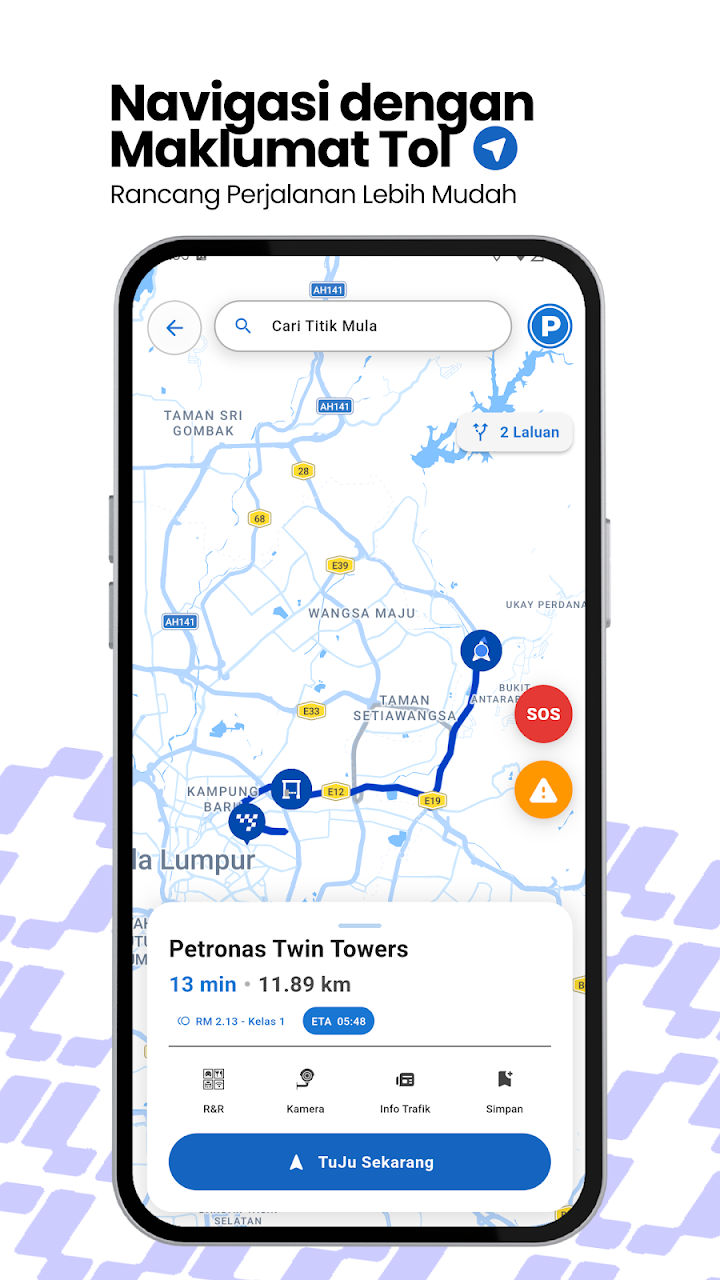
- The map shows your route. Before you start, check the trip details: estimated arrival time (ETA), distance in km, R&R stops nearby, traffic information and live cameras.
- Start the trip and follow the turn-by-turn directions.
How do I check toll charges before a trip?
This is the feature most drivers like best. When you set a route, TuJu shows the toll charges for the journey in RM before you start driving, so you can make sure your Touch ‘n Go card or eWallet has enough balance. An Android update in August 2026 also added toll announcements on your route.
How do I find R&R, petrol and EV charging stops?
Along your route, TuJu lists R&R areas (Rehat dan Rawat), lay-bys (hentian sebelah), petrol stations, EV charging stations and places to eat. It is useful on long balik kampung drives when you want to plan your stops before you get tired.
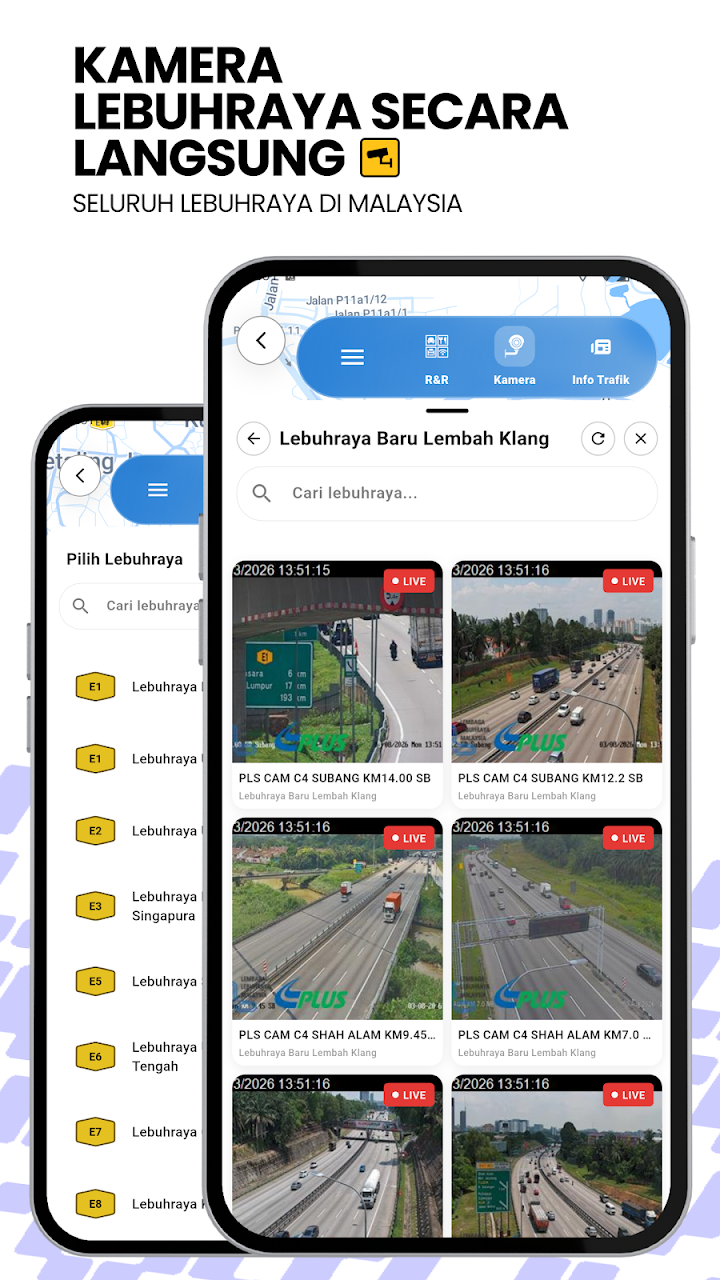
How do I see highway traffic and CCTV?
TuJu shows traffic updates and images from LLM’s highway CCTV cameras. The images are snapshots that refresh from time to time, not continuous live video, but they are enough to see whether a stretch is jammed before you reach it.
How do I report an accident or get emergency help?
- Report incidents: you can report accidents and road closures in the app, which helps other drivers.
- Emergency: TuJu has quick links to emergency services and to the hotlines of the highway concessionaires.
- Potholes and damaged roads: these go to LLM’s separate MyJalan platform, not TuJu.
Never use your phone while driving. Let a passenger report incidents, or stop safely first.
What can’t TuJu do yet?
- No Apple CarPlay or Android Auto: at launch, TuJu did not work on car screens through CarPlay or Android Auto. LLM has said it plans to add it, but as of October 2026 support has not been reported. Use a phone holder.
- Android gets updates first: recent updates (faster maps, smoother turn-by-turn navigation, toll announcements, voice search in August 2026, and a redesigned interface in October 2026) were reported on Android; the iPhone version has been updated less often.
- Highway-first: TuJu is built around highways. Waze-style live reports from many drivers on small town roads are still limited while the user base grows.
TuJu vs Waze: what is the difference?
Waze is strongest on crowd-sourced traffic and police or hazard reports from its large user base. TuJu is strongest on official highway information: toll charges in RM, R&R and EV stops, LLM highway CCTV and concessionaire hotlines, from a Malaysian government agency. Many drivers will use TuJu for highway trips and keep Google Maps for small roads. Civil servants should follow the government’s instruction not to use Waze.
Frequently Asked Questions
Is the TuJu app free?
Yes. TuJu is free to download on Google Play and the Apple App Store.
Who developed TuJu?
The Malaysian Highway Authority (LLM) with Prosignal Consortium Sdn Bhd, a Malaysian company. It was launched in November 2025.
Does TuJu show toll charges?
Yes. It shows the toll charges for your route in RM before you start, and the Android version announces tolls on your route.
Can I use TuJu on Android Auto or Apple CarPlay?
Not yet. LLM has said it plans to add it, but as of October 2026 support has not been reported.
Why is the government asking people to use TuJu instead of Waze?
On 20 October 2026, Prime Minister Anwar Ibrahim encouraged Malaysians to use TuJu, citing data-security concerns because Waze is subject to Israeli law. Civil servants have been told to stop using Waze.
Sources: The Malaysian Reserve, Malay Mail, paultan.org, Lowyat.NET, TuJu on Google Play. App features and menus can change with updates; check the latest version of the app.
Written by Dexter Chia, licensed dealer’s representative (R336) at Malacca Securities (M+ Global). This guide is for general information and is not sponsored by LLM or Prosignal.