This guide replaces our older M+ Online walkthrough. The steps are the same idea as before (activate, deposit, trade, protect your position), but everything now happens in the M+ Global app, which covers Bursa Malaysia as well as US and Hong Kong stocks.
What changed from M+ Online to M+ Global?
- The M+ Online app stopped working on 31 October 2025. All trading moved to M+ Global.
- M+ Global adds multi-factor authentication (MFA), a new interface and stronger anti-scam checks.
- You can update your address, phone, email, income and employment details inside the app with eKYC (Me > User Profile), without visiting a branch.
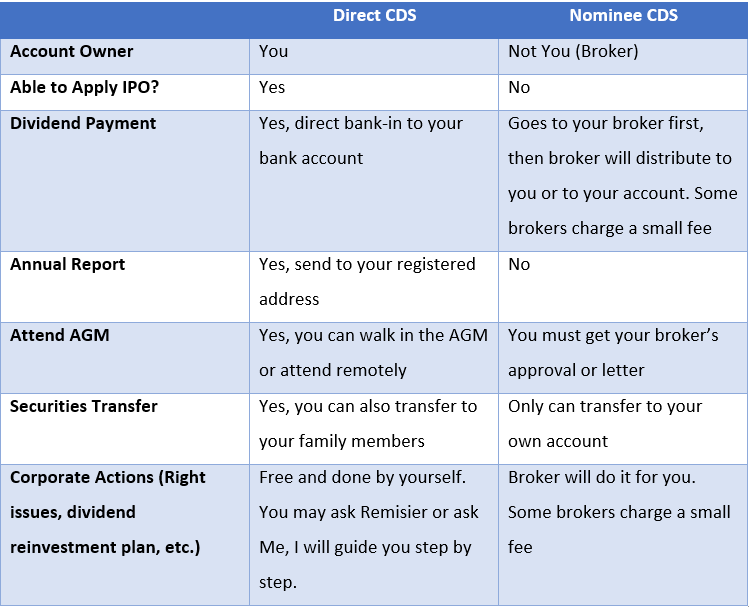
- Your shares stay in your CDS account. Changing apps does not move or sell your holdings.
Step 1: How do I log in to M+ Global?
- Download M+ Global from the Google Play Store, Apple App Store or Huawei AppGallery.
- New to M+? Tap Open Account and register with your phone number. A CDS account is opened as part of the process. See How to Open a CDS and Trading Account in Malaysia (2026).
- Already had M+ Online? Register in M+ Global with your phone number and enter your existing M+ Online username when asked, so the app links to your existing account.
- Set up MFA when prompted. Check your spam folder if you are waiting for an email from Malacca Securities.
Step 2: How do I deposit money?
Deposit with FPX online banking from a bank account in your own name. Third-party payments can be rejected. Funds sent by FPX are usually credited quickly, so you can trade soon after paying.
Before your first deposit, compare what you will pay per trade: see M+ Global fees in our 2026 review.
Step 3: How do I buy or sell shares?
- Open the Trade tab and search for the stock by name or stock code (for example MAYBANK or 1155).
- Tap Buy or Sell.
- Enter the quantity and price. Bursa Malaysia shares trade in board lots of 100 shares.
- Check the order summary, including fees, then confirm.
Bursa trades settle on T+2, two market days after the trade date. If you trade on a contra facility, make sure you settle or close the position on time. See Types of Trading Accounts in Malaysia.
Step 4: How do I set a stop-loss in M+ Global?
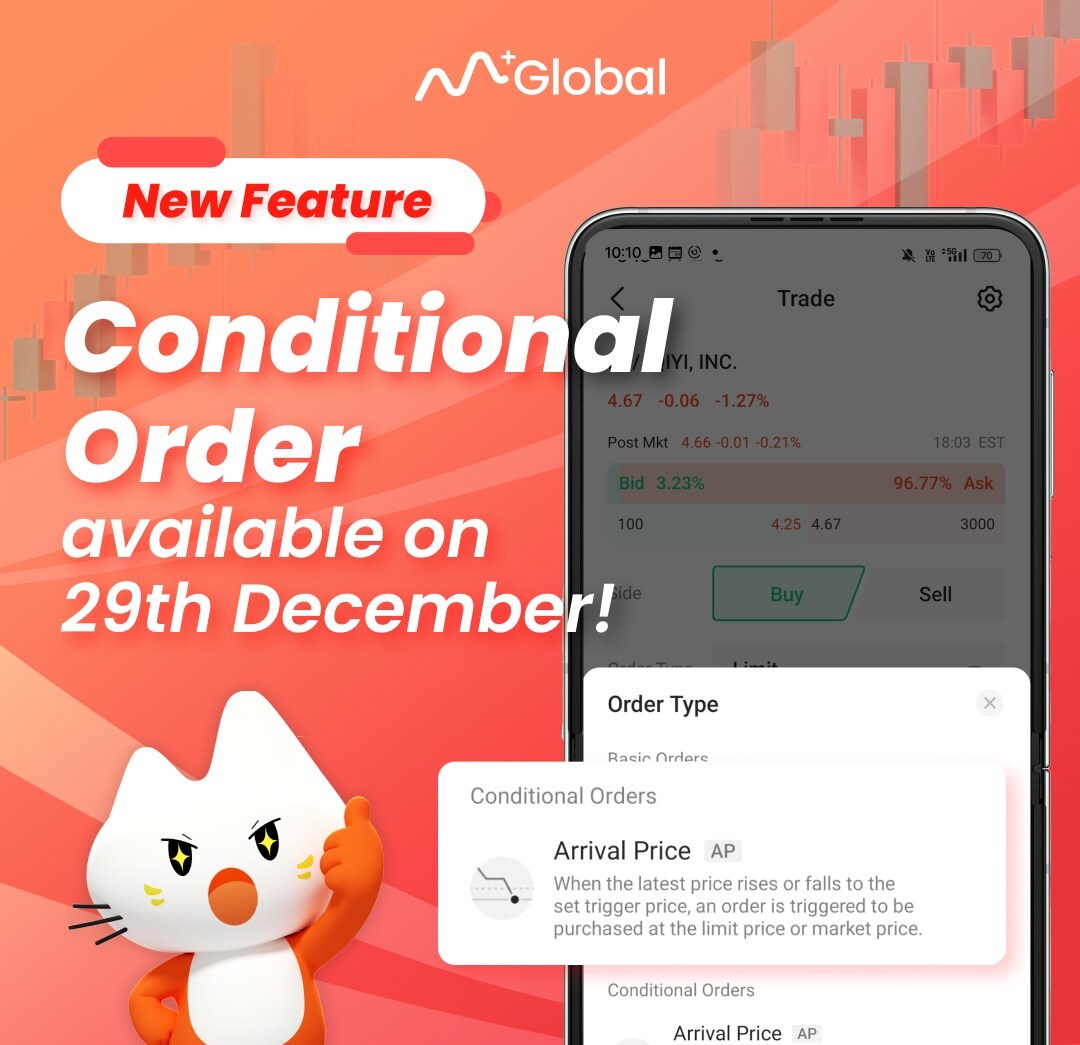
Use a conditional order. You set a trigger price in advance, and when the stock reaches it during the order’s validity period, M+ Global sends your order to the exchange automatically. You can use it to:
- Cut losses: sell if the price falls to your stop level.
- Take profit: sell when the price reaches your target.
- Buy on a breakout: buy when the price rises above a level.
A stop-loss is not guaranteed to fill at your exact price if the stock gaps down, so size your positions with that in mind.
Step 5: How do I track my portfolio and withdraw?
- Your holdings, cost and profit or loss are shown in the app’s portfolio view. Realised profit tracking is also available for US and Hong Kong trades.
- Withdrawals go to your registered bank account in your own name. Only settled cash can be withdrawn, so money from a sale is available after T+2.
Frequently asked questions
Can I still use the M+ Online app?
No. The M+ Online app was discontinued on 31 October 2025. Use M+ Global for Bursa, US and Hong Kong trading.
Do I need a new CDS account?
Your shares are held in your CDS account, not in the app, so switching to M+ Global does not move them. If you have questions about your specific account, ask your remisier or M+ customer service.
Is there a desktop version?
Yes. M+ Global has a Windows and macOS version. See how to install M+ Global on your PC.
Key Takeaways
- M+ Online was replaced by M+ Global on 31 October 2025; your CDS holdings are unchanged.
- Deposit by FPX from your own bank account; withdraw only settled cash (T+2).
- Buy and sell from the Trade tab in board lots of 100 shares.
- Use conditional orders for stop-loss and take-profit.
This guide is for education only and is not investment advice. App screens and procedures can change; check the M+ Global app or ask your remisier if a step looks different.