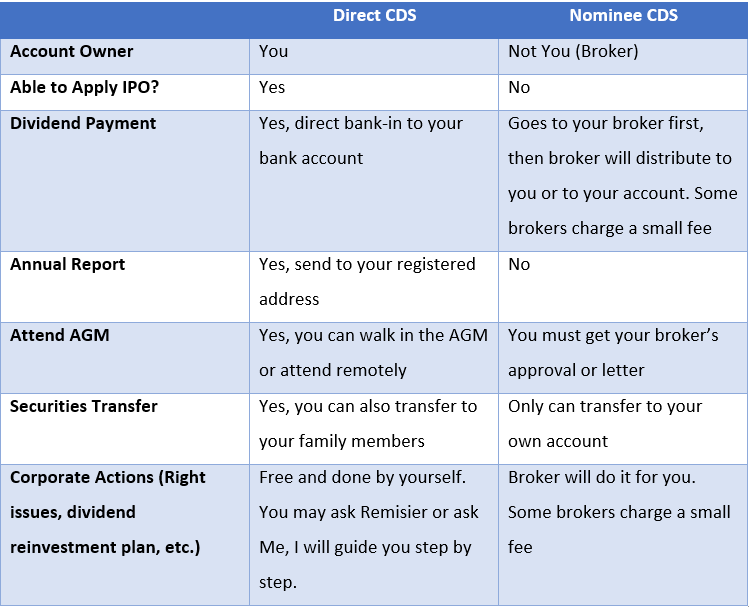
Bursa Anywhere, a cutting-edge app, offers investors the convenience of transferring their shares effortlessly.
In this blog, we’ll delve into the benefits of using Bursa Anywhere for share transfers and explore why transitioning to M+ Online could be a smart financial move.
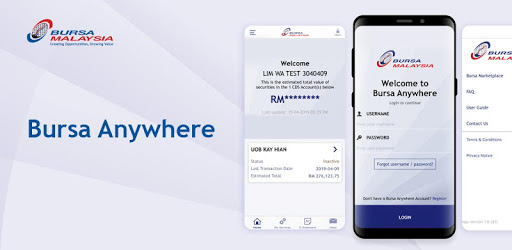
Bursa Anywhere stands out as a user-friendly mobile application that empowers investors with the ability to manage their stock portfolios on the go.
One standout feature is the capability to transfer shares from one broker to another broker within the app.
This functionality simplifies the process of consolidating your investments onto a platform that better aligns with your financial goals.
Reasons to Consider a Switch to M+ Online:
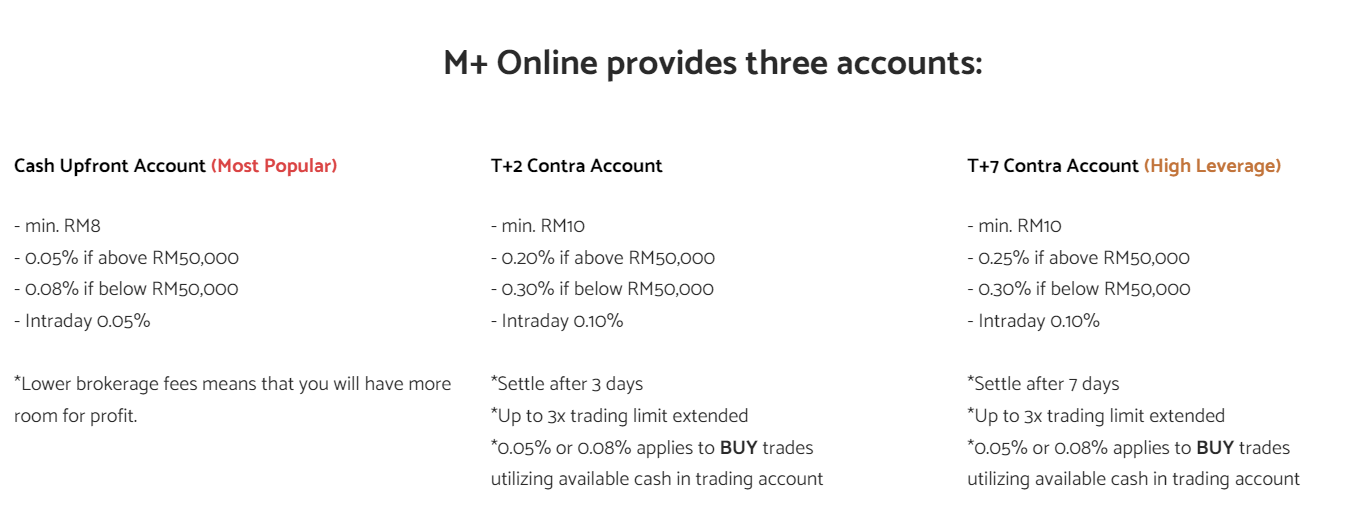
1. Lower Brokerage Fees
2. Comprehensive Research Tools
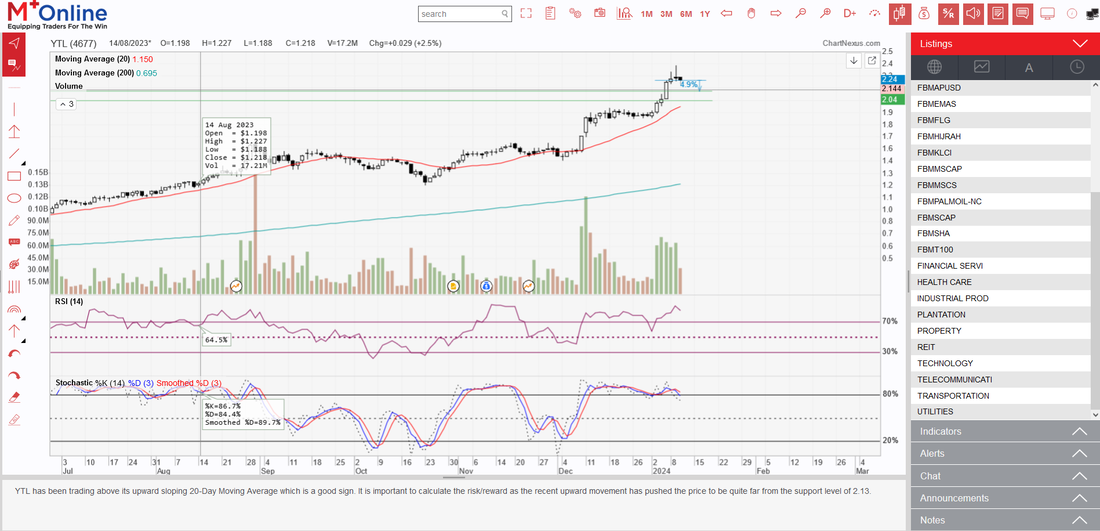
M+ Online provides investors with an arsenal of research tools and market insights. One Example of Free Charting Tool is M+ Wiz Lite.
3. User-Friendly Interface
Transitioning to M+ Online means embracing a platform with a user-friendly interface, making it easy for both novice and experienced investors to navigate. Enjoy a seamless trading experience with a platform designed for efficiency and ease of use.
4. Advanced Trading Features
M+ Online goes beyond basic trading functionalities, offering advanced features such as algorithmic trading, conditional orders, and customizable alerts.
5. Dedicated Remisier Services (FOC)
I’m a licensed Dealer Representative / Remisier who guiding 2,200+ clients to invest local (Malaysia Market) & foreign market (US & HK market). My professional services are listed here.
How to Transfer Your Shares with Bursa Anywhere:
1. Download Bursa Anywhere App
2. Sign Up an Account using your own personal details
3. Automated Link Your Brokerage Accounts
Bursa Malaysia will link all your CDS Accounts in this app.
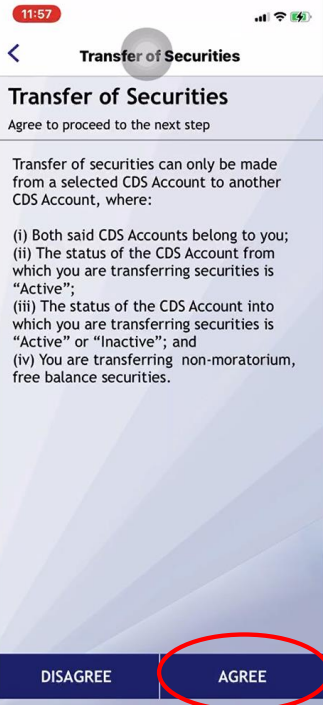
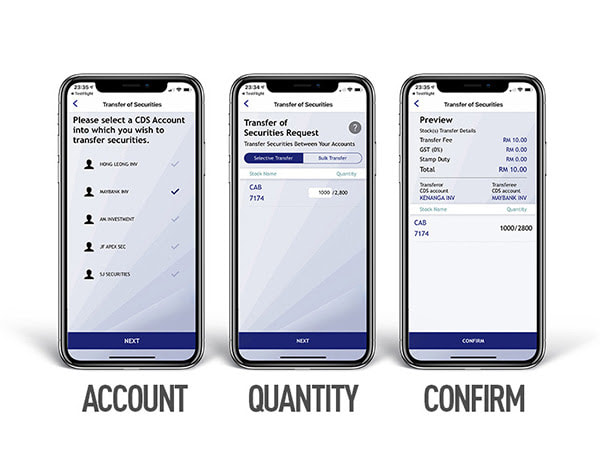
4. Transfer of Securities
Go to My Services. Click on Transfer of Securities.
5. Review and Confirm
You are required to pay RM10 per counter.
If you wish to switch to M+ Online, you can claim the fees/charges from me.
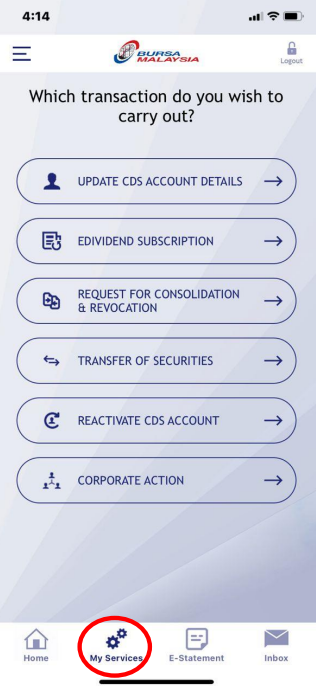 Bursa Anywhere App Menu Bursa Anywhere App Menu |
 |
How to Sign Up M+ Online (Direct CDS Account)
1. Download M+ Global from Apple Store / Google Play Store.
2. Sign Up using phone number
3. Choose Malaysia Market
4. Insert my Invitation Code: UBZQ
5. Pay for RM11 Registration Fee
After your M+ Online Trading Account is ready, you will able to see it appears in Bursa Anywhere App. Then you can proceed to share transfer by just few simple steps.