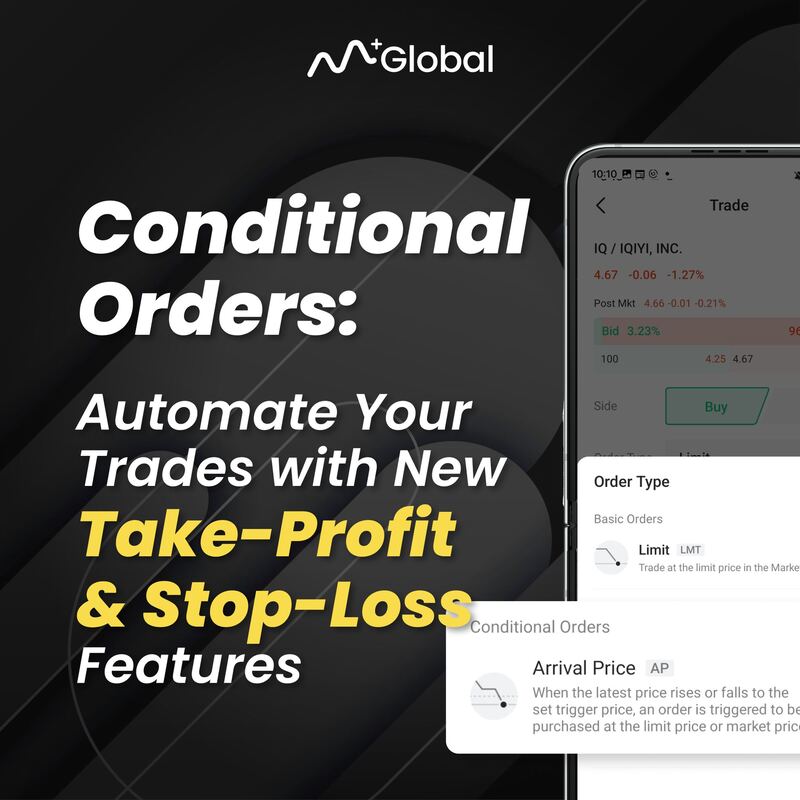
Discover a new dimension of trading excellence with M+ Global’s cutting-edge Conditional Order feature.
What is a Conditional Order?
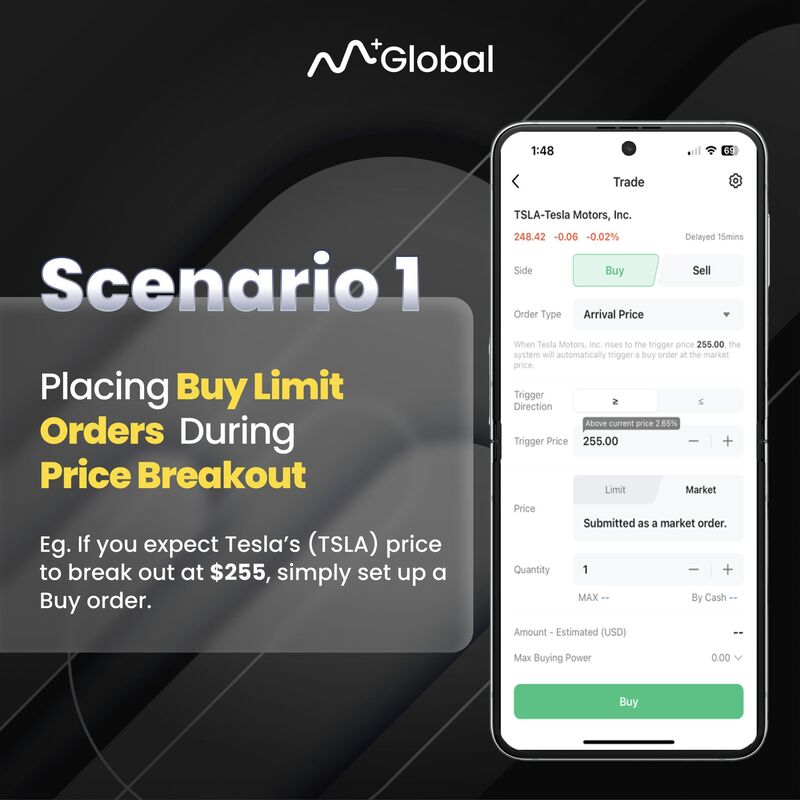
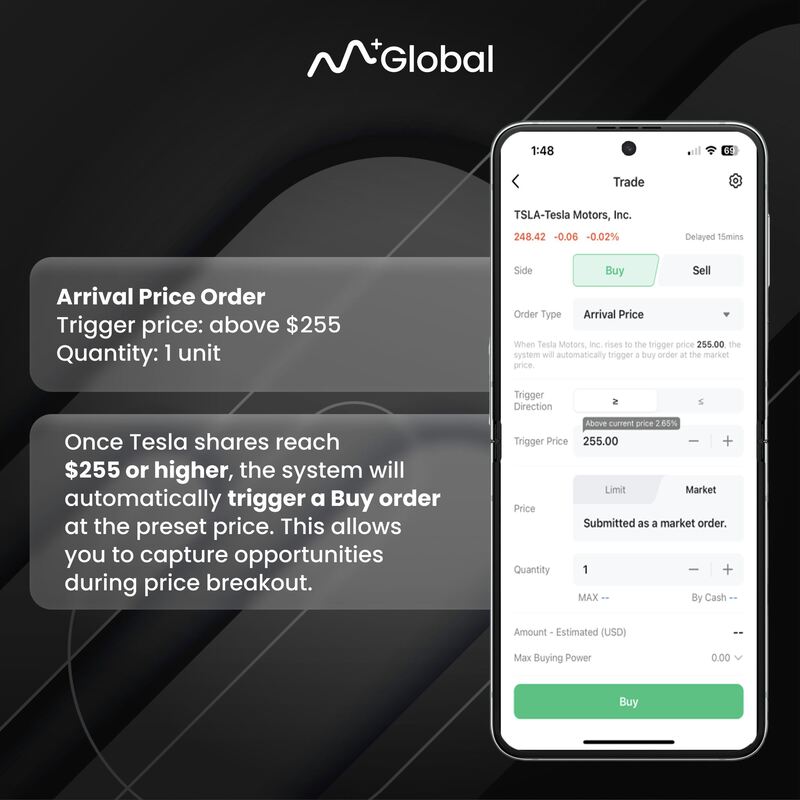
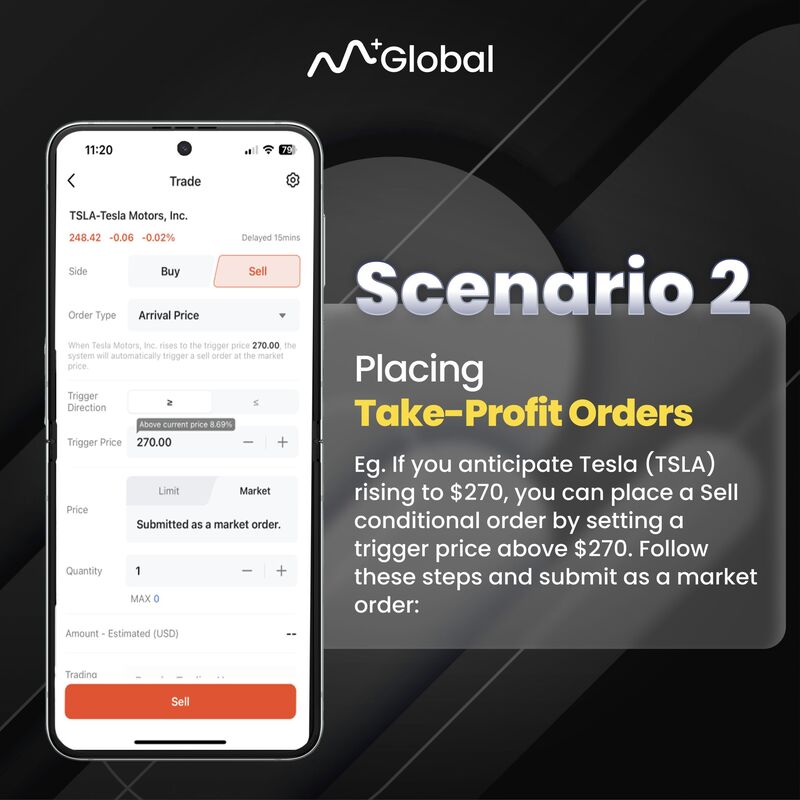
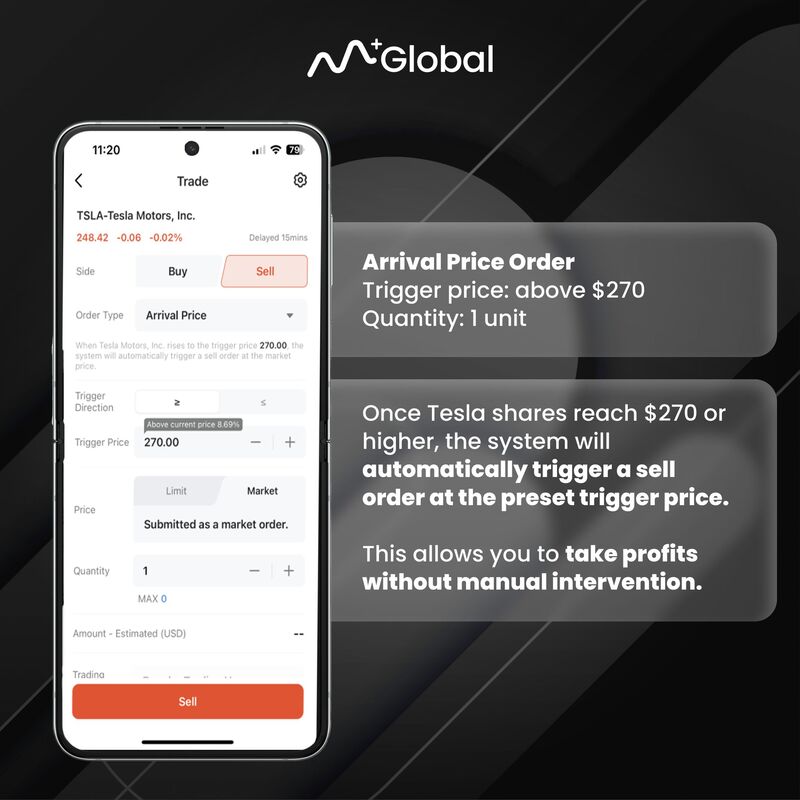
The conditional order is a trading tool that allows investors to set trigger conditions for stocks in advance. During the validity period, once the stock price reaches these conditions, the system will automatically send the investor’s buy or sell orders to the exchange.
It may help investors seize opportunities during market fluctuations, while minimizing risks and losses.
Scenario 1: Arrival Price (Buy on Price Breakout)
Scenario 2: Arrival Price (Take Profit Order)
Scenario 3: Arrival Price (Stop Loss Order)
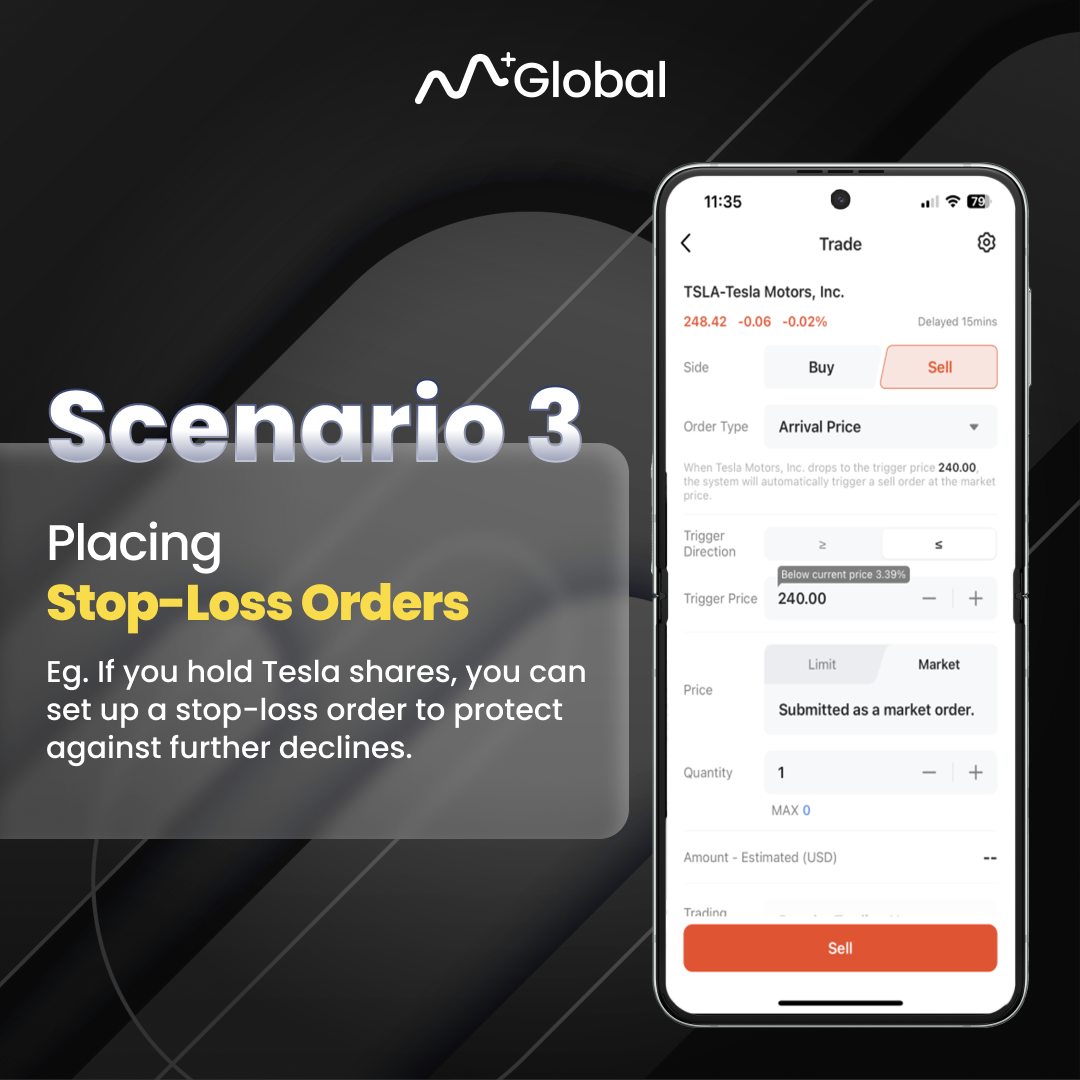
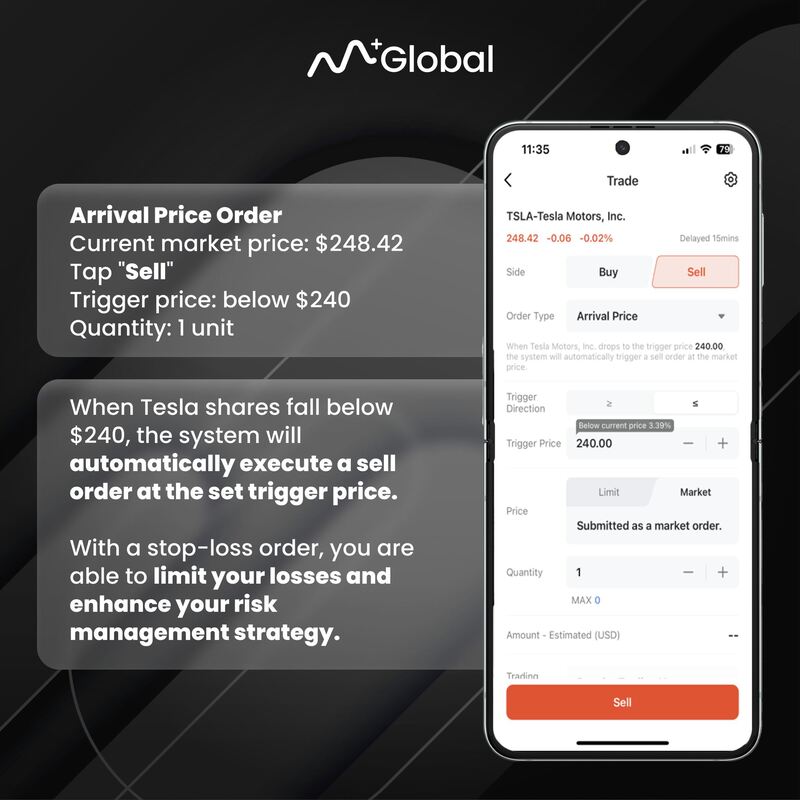
With the flexibility of this new feature, you can now simplify your trading execution like never before by setting up Take-Profit and Stop-Loss levels effortlessly.
Stay ahead of the curve by adapting your strategies to market conditions with M+ Global’s innovative features.
To sign up a Licensed Foreign Stock Trading Account (US & HK Stock Market),
1. Download M+ Global
2. Sign Up using Invitation Code: UBZQ
3. Wait for 1 – 2 working days