This blog post will guide you how you can Download and Install the M+ Global Desktop Version.
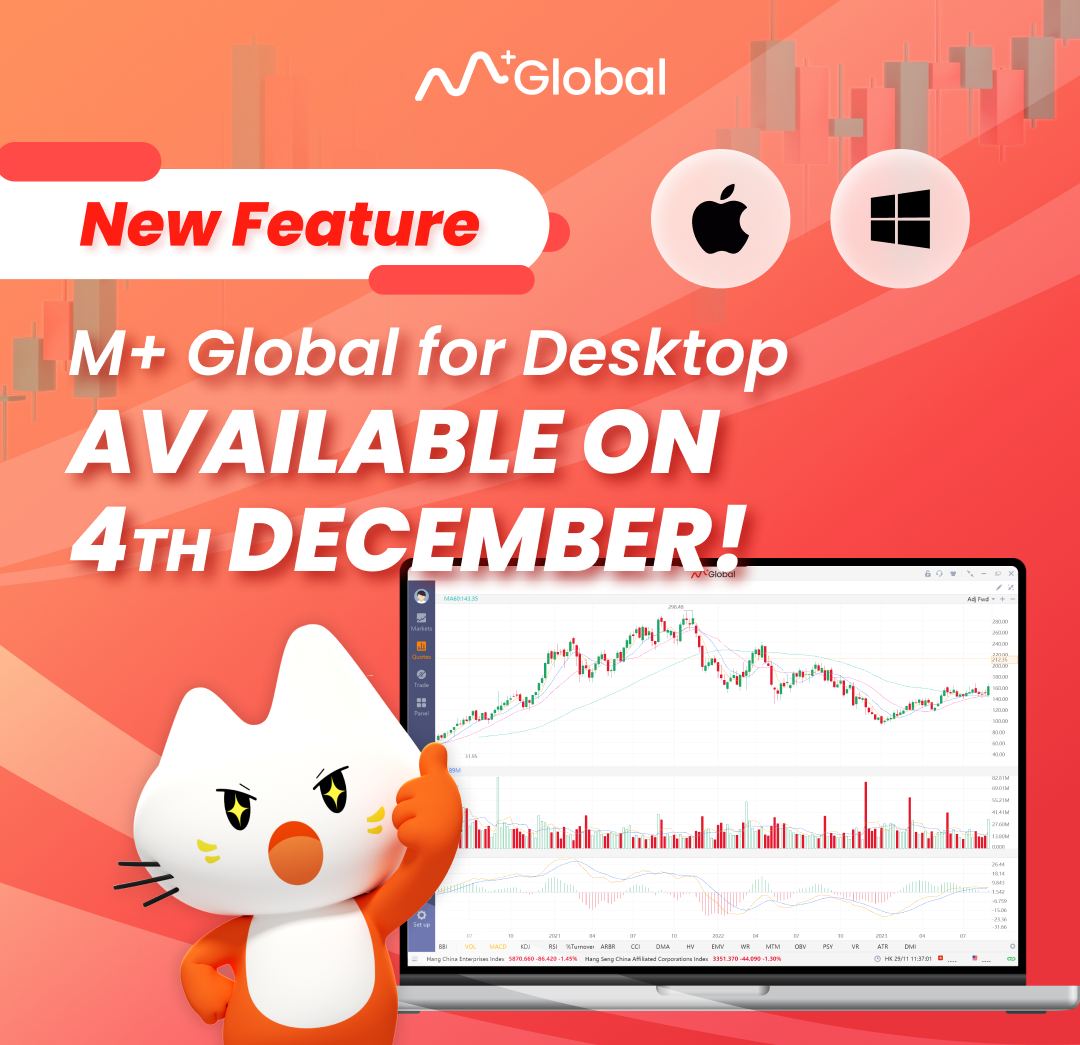
Follow the following steps to Download & Install M+ Global Desktop/PC Version:
Step 1: Download WINDOWS
Step 2: Click on the icons “Windows” or “macOS” to download the M+ Global Desktop Version Installation File.
Step 3: Double click on the file
Step 4: Check the “Agree (Service Agreement)”, then click “Install”.
Step 5: Login and start to use it.
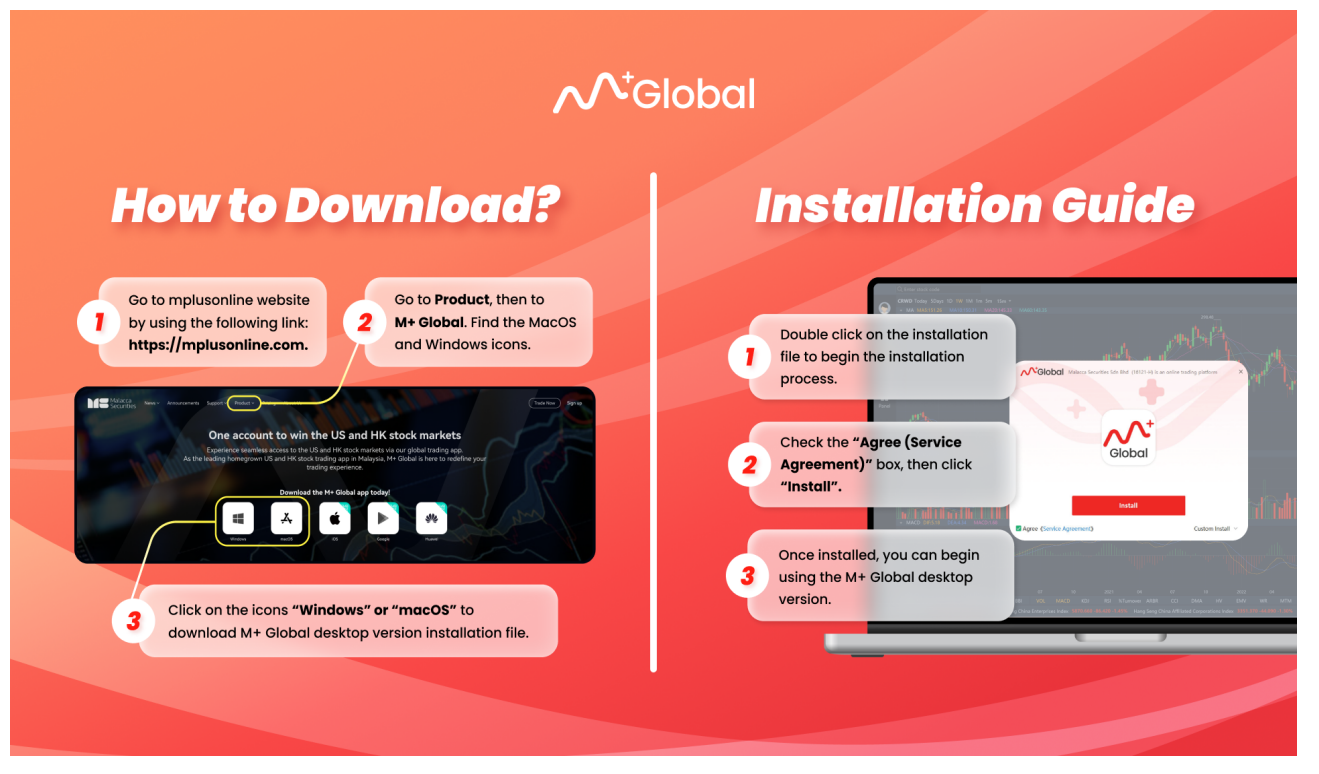
With a desktop version, users can potentially benefit from:
1. Better Performance:
Desktop apps often have more memory and processing power, which makes the performance smoother and faster.
2. Advanced Charting Tools:
Traders and investors can look forward to more advanced charting tools, technical indicators, and customization choices that will let them do more in-depth research.
3. Support for Multiple Monitors:
Most desktop platforms let users spread their workspace across multiple monitors, which can make them more productive if they like that kind of setting.
4. Increased Accessibility:
Bigger screens and a desktop setting may increase accessibility, making it easier for users to move between features and data points.
5. Notifications and Alerts:
Desktop versions can have more advanced messaging systems that keep users up to date on changes in the market and important events.
6. Ease of Navigation:
The extra space on the bigger screen often makes it easier to move around and organise info, which improves the overall user experience.
7. Options for Customization:
Users may have more choices for how to change the interface and layout to suit their trading styles.
8. Data Analysis Tools:
Desktop platforms might come with extra data analysis tools that let users dig deeper into market trends and old data.
How to register an foreign stock market trading account online (US/HK/MY Stock Market)
- 1. Download M+ Global app
- 2. Register Online
- 3. Fill in the Invitation Code: UBZQ
You will enjoy all the professional services here.