This guide is for Malaysian investors who used the older M+ Online platform (also known as Mplus) and now need to know what changed. I handle these questions every week for my clients, so I have written it the way I would explain it across the table.
What Changed: M+ Online Gave Way to M+ Global
M+ Online was the older trading platform from Malacca Securities. It was scheduled to end on 31 October 2025, and it stopped working on 19 December 2025.
M+ Global replaced it as the current app. If you still have M+ Online on your phone, do not use it, because it no longer works.
What M+ Global Adds for You
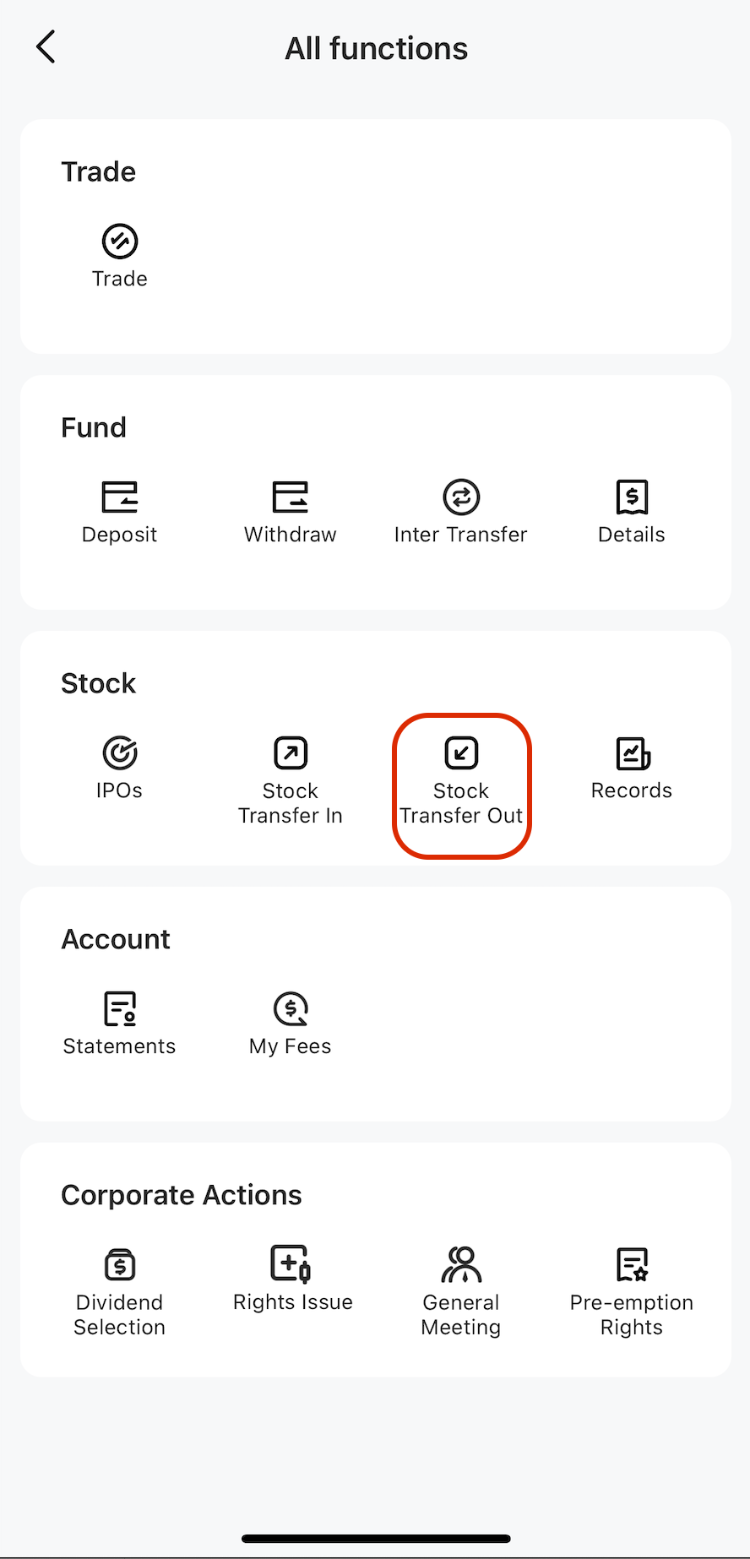
The main change is that M+ Global brings several things into one app. You can trade Bursa Malaysia shares, US shares and Hong Kong shares from the same place.
You can also apply for IPOs, and handle deposits and withdrawals, without switching between different tools. For most clients, this means less time hunting for the right screen and fewer logins to remember.
Brokerage still depends on the market. M+ charges from 0.05% on Bursa with a RM8 minimum per trade, and from 0.10% on US and Hong Kong trades, with a minimum of USD3 or HKD18. Check your current rate with me before placing your first trade on a new market.
What Stays the Same for Existing Clients
Your CDS account is the same. Bursa Malaysia is scripless, so there are no share certificates to collect or send back. Your shares sit in your CDS account, which is operated by Bursa Malaysia Depository Sdn Bhd.
Your M+ CDS number is 15 digits and begins with 012-001. Check that it matches your statement, because it is the number that tells you the shares are yours at M+.
Your shares do not need to be moved, re-bought or re-registered because of the app change. The app is how you see and trade them; it does not change who holds them.
What to Do Now If You Used M+ Online
Follow these steps in order. Most people finish in one sitting.
- Delete any M+ Online app from your phone so you do not log in to the wrong one by habit.
- Download M+ Global from the official app store on your phone, and check that the publisher is Malacca Securities.
- Log in using your existing M+ details. If you cannot remember your login, use the reset option in the app or ask me or the M+ customer service team to help.
- Open your portfolio and check that your share counts and cash balance match your last statement or your own records.
- Confirm your CDS number shown in the app matches the 012-001 format on your account.
- If anything is missing, do not trade or wait. Message me or contact M+ customer service straight away with a screenshot.
A common trip-up is step 3. Many clients mix up old and new login details, or try the old app repeatedly until they get locked out. If that happens, stop trying and ask for help instead.
Comparison: M+ Online and M+ Global
| Item | M+ Online (older) | M+ Global (current) |
|---|---|---|
| Status | Stopped working on 19 December 2025 | Current app from Malacca Securities |
| Markets in one app | Do not use | Bursa, US and Hong Kong shares |
| Your shares and CDS account | Held with M+ | Same shares and same CDS account |
| What you do now | Remove it from your phone | Install, log in and check holdings |
Who to Contact If the Switch Causes Problems
Start with your remisier. I can check your account, confirm your holdings and tell you whether the problem is on my side or the system side.
If I am unavailable or the issue is with the app itself, contact M+ customer service directly. Keep your CDS number and a screenshot of the problem ready, because it speeds up the check.
Common Mistakes to Avoid
The most frequent mistake is assuming the shares have disappeared when the app looks different. Check your CDS number and holdings before you panic or sell anything.
Another mistake is opening a new CDS account with M+ because you think the switch requires it. For existing clients, it does not; you keep your current account.
Finally, do not trade on a new market for the first time without checking the minimum fees. A RM8 or USD3 minimum can matter more than the percentage on a small order.
Key Takeaways
- M+ Global is the current app from Malacca Securities, and M+ Online no longer works.
- M+ Global brings Bursa, US and Hong Kong shares, IPO applications, and deposits and withdrawals into one app.
- Your shares and CDS account stay the same after the switch.
- Install M+ Global, log in, and check your holdings before you trade.
- Ask your remisier or M+ customer service early if something does not match your records.
Frequently Asked Questions
Do I need to open a new CDS account when moving from M+ Online to M+ Global?
No, existing clients keep the same CDS account and the same shares. The app is only how you access your account. Check that your CDS number still begins 012-001.
Will the switch cost me extra fees?
The switch itself does not create a new trading fee. Your brokerage still depends on the market you trade, so ask me for the current rates before placing a new type of trade.
How long does it take to move to M+ Global?
Installing, logging in and checking your holdings usually takes one sitting. If your login or holdings do not show, contact your remisier or M+ customer service the same day.
What if I cannot log in or my holdings look wrong?
Do not trade or keep retrying the login. Message your remisier or M+ customer service with a screenshot and your CDS number so they can check your account.
If you are still unsure about moving from M+ Online to M+ Global, or you want someone to walk you through the first login, contact me, Dexter Chia, remisier at Malacca Securities Sdn Bhd. You can use my M+ Global invitation code UBZQ, or message me on WhatsApp at +60169059789 and I will guide you through it.
Need Help With This?
If you are an M+ Global client and need help with this process, message me directly — I handle these requests for clients every week.
WhatsApp: +60169059789 | M+ Global Invitation Code: UBZQ
Disclaimer: This article is for informational purposes only and does not constitute financial advice. Always do your own research before making investment decisions.
Want to invest in Bursa Malaysia or US markets? Contact Dexter Chia, an AI Driven Remisier who has 2,200+ clients at Malacca Securities Sdn Bhd (M+ Global). M+ Global Invitation Code: UBZQ | WhatsApp: +60169059789 | Why Choose Dexter?